The 16 and 24 bay models of the DL 380 G10 require a SAS expander to supply the front drive bays with SAS lanes. The 8 bay model does not require such a setup. The backplane is simply connected directly to the RAID controller. It’s actually quite rare to not see the SAS expander built into server backplanes but that was the design choice by HP for this model.
You are first going to need the SAS expander itself which looks like the following:
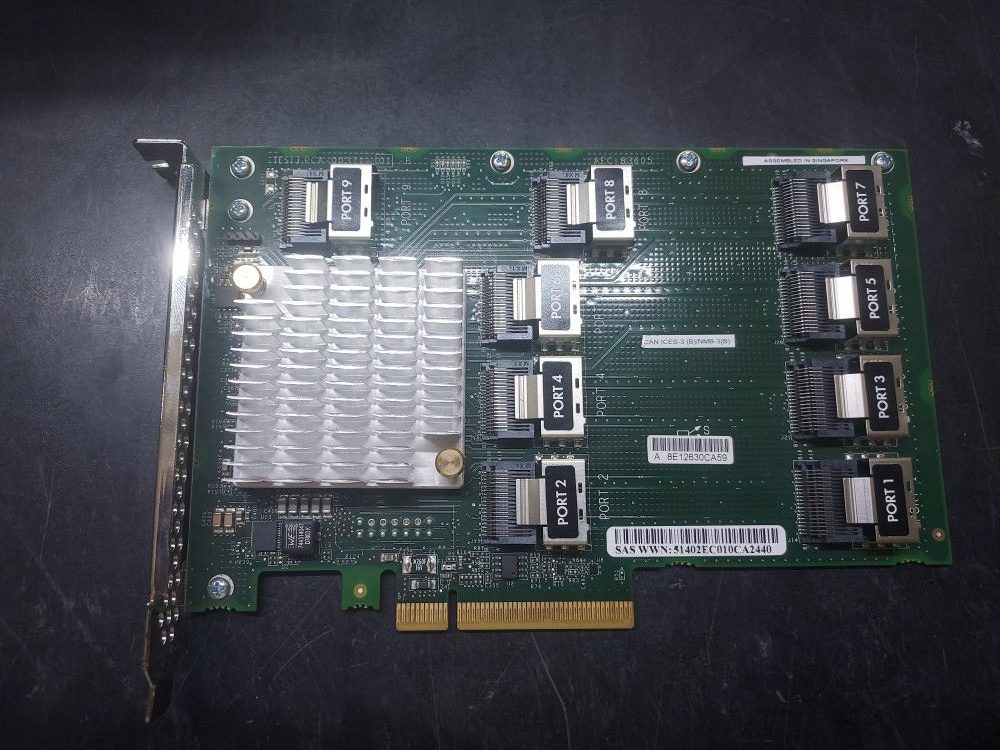
On the card are 9 ports. It installs into Riser 1.
The cables you need will route from the backplane to the SAS expander, and then connect to your RAID controller. You will actually notice 3 separate backplanes on this server. Each section of backplane are known as bays.
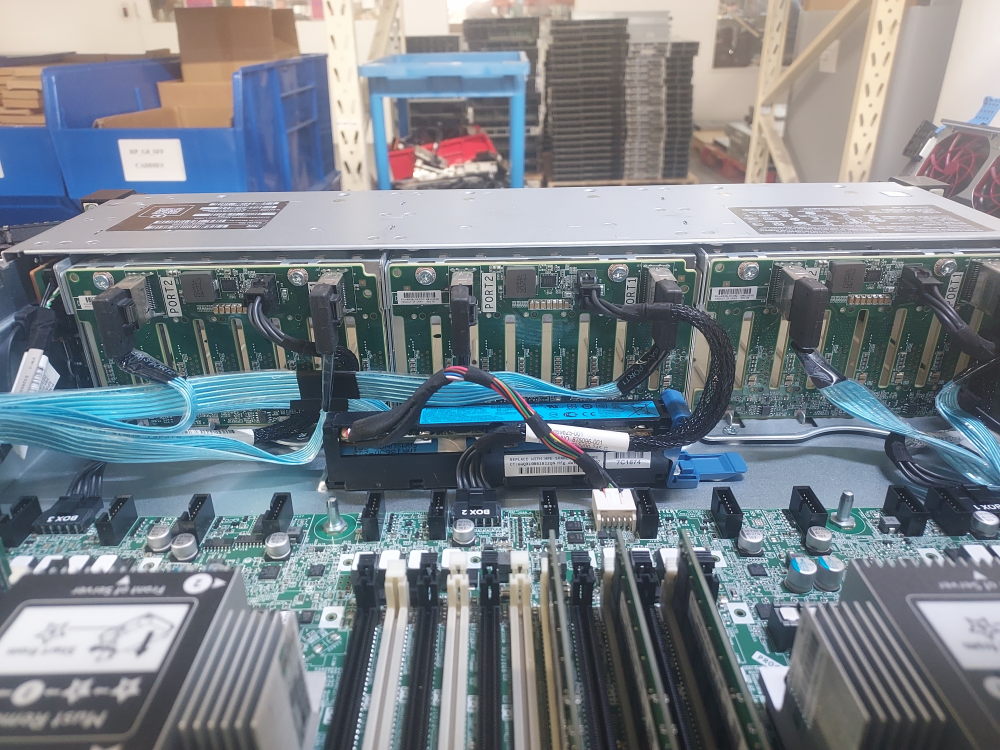
You have Bay 1, Bay 2, and Bay 3.
The required cables will plug into Bay 1 ports 1/2, Bay 2 ports 1/2, and Bay 3 ports 1/2.
Here’s the first set of cables:
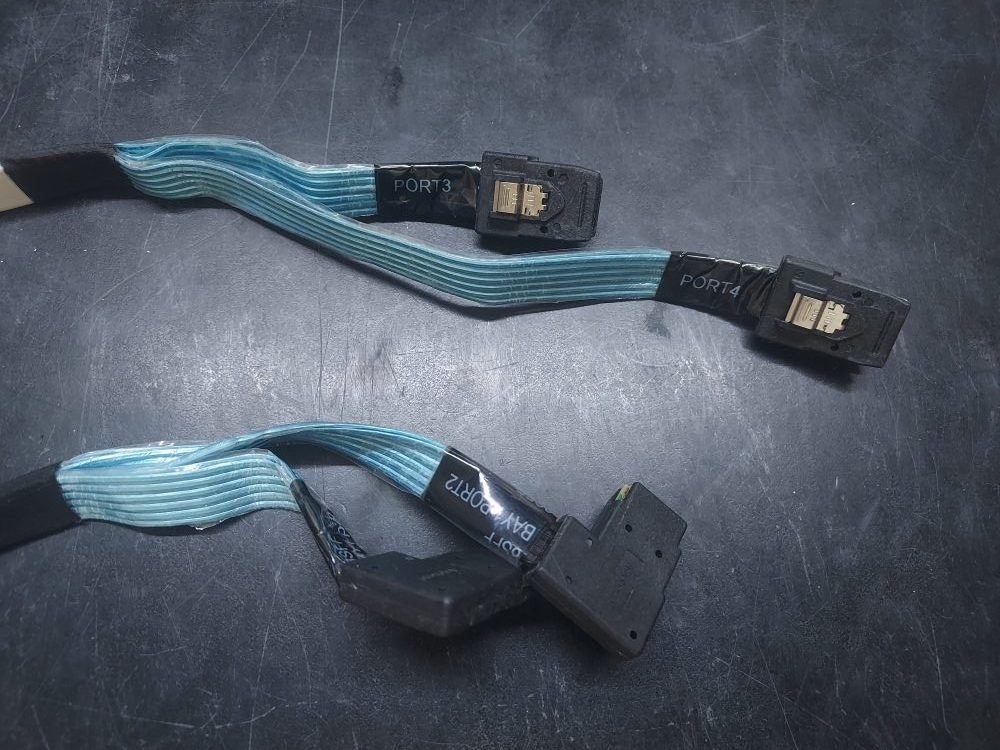
These plug into the first ports labeled Bay 1 Ports 1 and 2. They will route along the left side of the chassis On the expander you’ll plug these into ports 3 and 4. These are for the first 8 drive bays on the server. Note, ports 1 and 2 are reserved for the cables that go from the expander to the RAID controller. We will plug those in later.
The next 2 bays will use the same cable. We call this the octopus cable.
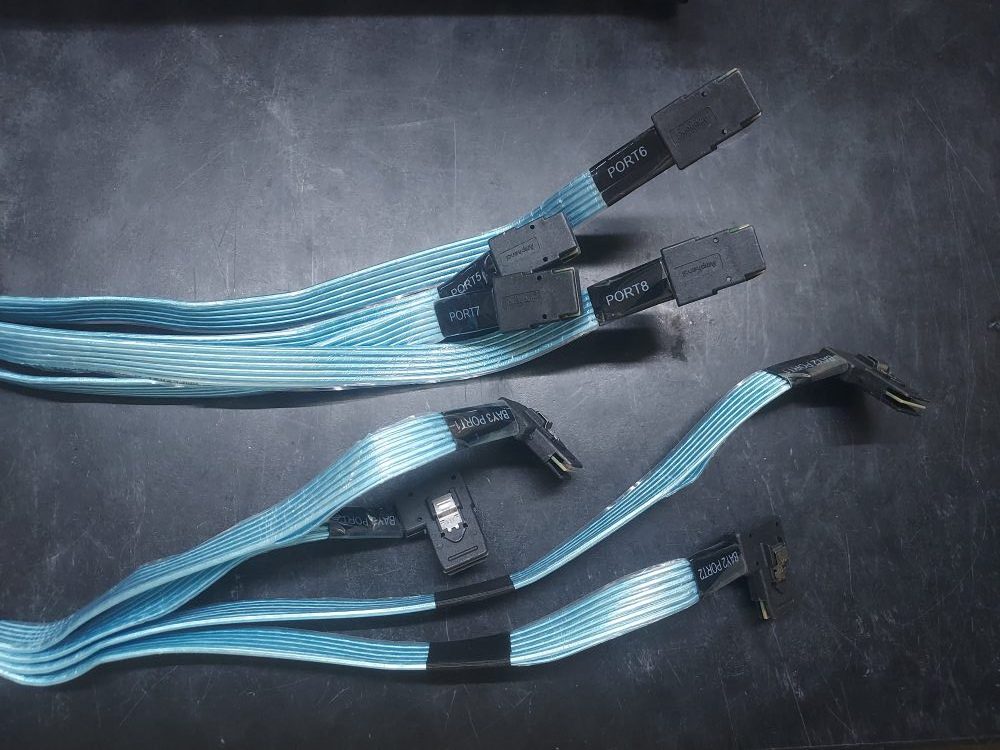
It has 4 Mini SAS connectors on both ends of the cable. One side plugs into the other 2 backplanes on the server. The other side plugs into the SAS expander on ports 5, 6, 7, and 8. The cable will be labeled so you know what goes where.
It’s easiest to have the SAS expander card out of the riser when you begin plugging in the cables.
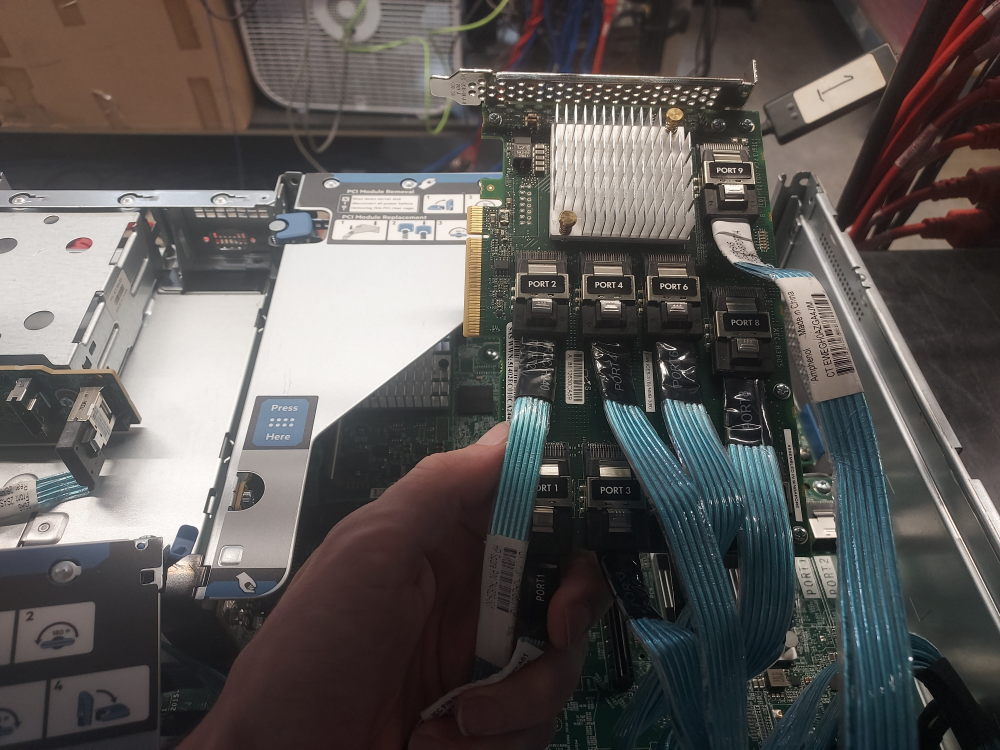
Lastly, you have ports 1 and 2. These are individual cables that go from the SAS expander to your RAID controller. They can vary in length. There are shorter cables designed to just go from the expander to a PCIe controller in the same riser. There are also longer cables designed to reach further out to a controller installed in the Mezzanine.
Here you can see I’m using the short cables to go from the expander right to a PCIe controller. Both the expander and RAID controller are now installed in riser 1.
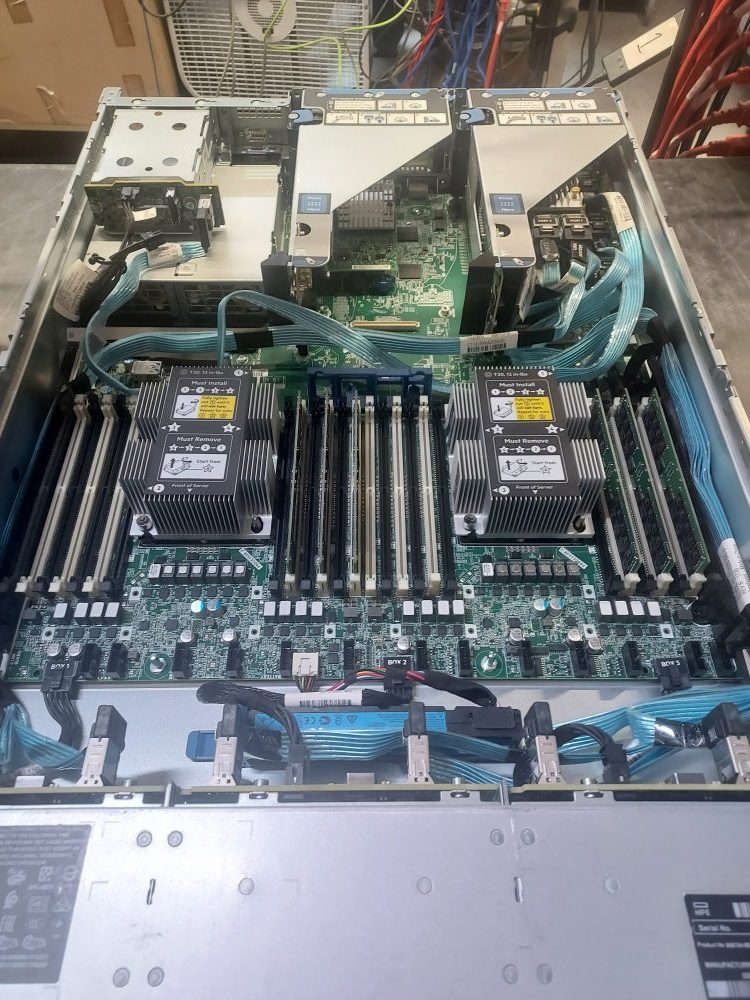
Once you’re cabled up turn it on and verify that your server can see the RAID controller and your drives. If it’s only seeing drives in some drive bays you may have a loose cable, the wrong cable, or a cable plugged into the wrong port.
Leave a Reply