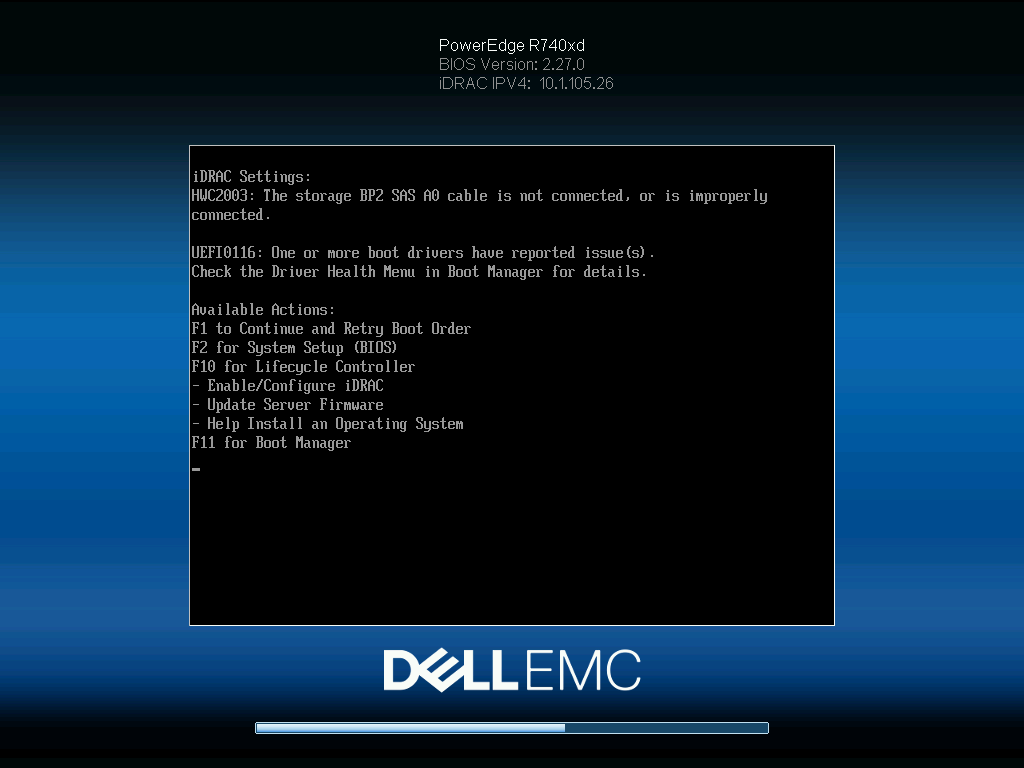
The R740xd has specific numbers it uses to refer to different backplanes on your server. The R740xd can technically support 3 different backplanes. Of course you have the primary backplane. This is the backplane used to install drives through the front of the server. The other 2 backplanes refer to the mid and rear flex bays if you have those installed.
So quite simply:
- BP0 – Rear backplane for flex bay
- BP1 – Primary backplane for the front drive slots
- BP2 – Backplane for the mid bay
So if you’re getting backplane errors on BP2 this means the server is detecting a problem with your mid bay. (See the end of this post if you don’t actually have a mid bay installed!)
This could happen for a number of reasons. If you just installed the mid bay it’s likely you have the wrong cable installed or have it plugged into the wrong port on the backplane. The easiest first troubleshooting step is ensuring the cable is plugged in properly. The proper cable will have 2 SAS connectors on one end that plug into the mid bay and then a single SAS connector on the other that routes along the side of the chassis and plugs into the A1 port on the primary backplane. Perhaps you have it plugged into the A2 port (12 bay model) or the B1 port (24 bay model.)
You also might have the incorrect cable. The R740xd has 2 primary models. The 12 bay LFF version and the 24 bay SFF version. Both of these servers use different cables to interface with the backplane. The mid bay is physically the same hardware but both servers will use a different cable due to differences in the primary backplane design. You might have a cable designed for the 24 Bay installed in a 12 bay server, or vice versa.
Take a look at the cable and then look at the port you’re plugging it into on the backplane. The port numbers should match. For example, on an R740xd 12 bay the ports for the mid bay and rear flex bay are labeled A1 and A2.
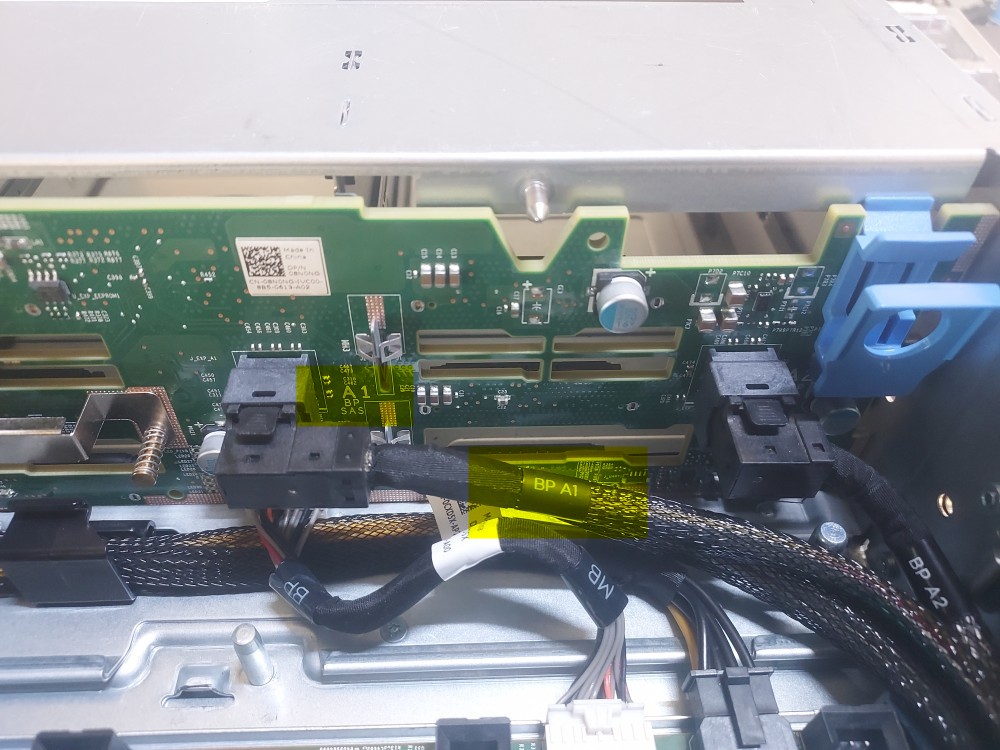
The cable will also be labeled the same. A cable labeled anything else is not going to work. Cables for the 12 and 24 bay systems might fit in each others ports but you’ll notice they go in at awkward angles. In the case of the 24 bay chassis, using a cable designed for the 12 bay will block the B1 port due to the angle of the connector. It may also throw errors. You must source the correct cable.
However, If you’ve determined that you’re using the correct cable it’s time to look deeper. I recently built a server and had this error at boot time. I was positive I had the correct SAS cable connected to the mid bay. Most of the time I simply replace the entire mid bay but this time I looked a little deeper and noticed the cable was physically damaged. Sometimes there is obvious damage to the cable from being stuffed against and forced down into the cable channeling system.
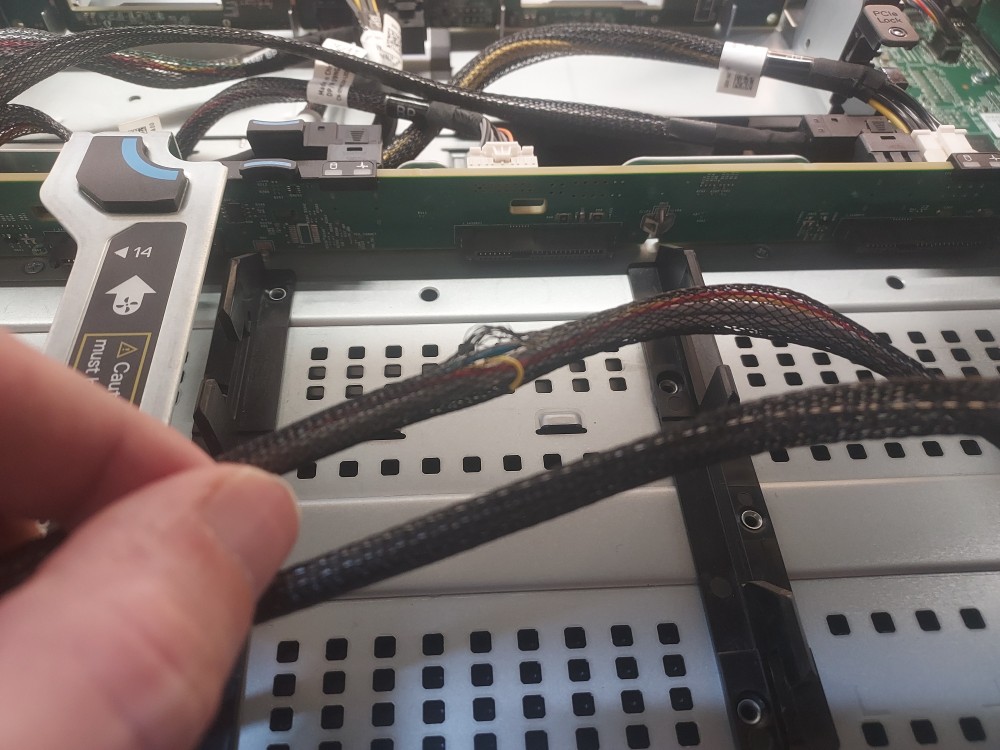
Replacing the cable resolved the issue. Other times the backplane itself was faulty, In that case the backplane and arguably the entire mid bay should be replaced. My logic is if you’re going to order parts to fix the problem you should order every possible part necessary to avoid wasting time and reordering should one of the parts alone fail to fix the problem.
I’ve also had some success updating the CPLD firmware on the system. This was a classic fix we discovered at work. Sometimes we’d have a problem with one of the backplanes and swapping out the entire hardware for new stuff didn’t fix the issue. In these cases we found updating the firmware for the complex programmable logic device was the solution. This chip is involved with detecting whether or not cables are plugged in and what SAS lanes are active, so to speak. It has worked enough times that I’d say it’s worth a shot to try.
So just to reiterate:
- Ensure you have the right cable
- Ensure the cable is plugged into the correct port on the backplane (A1)
- Ensure the cable is not damaged
Assuming all of the above conditions are satisfied yet the issue is still not resolved, try updating the CPLD firmware. Failing that it’s probably time to order a new mid bay cable, another backplane for the midbay, or the entire backplane configuration with the correct cable from a trusted source.
As a final note, I’ve also seen this error pop up in servers that have no flex bay installed at all. In some cases updating the CPLD firmware resolved the issue, in other cases we considered the server failed at least for a serious production environment.
Leave a Reply