Archives: Parts

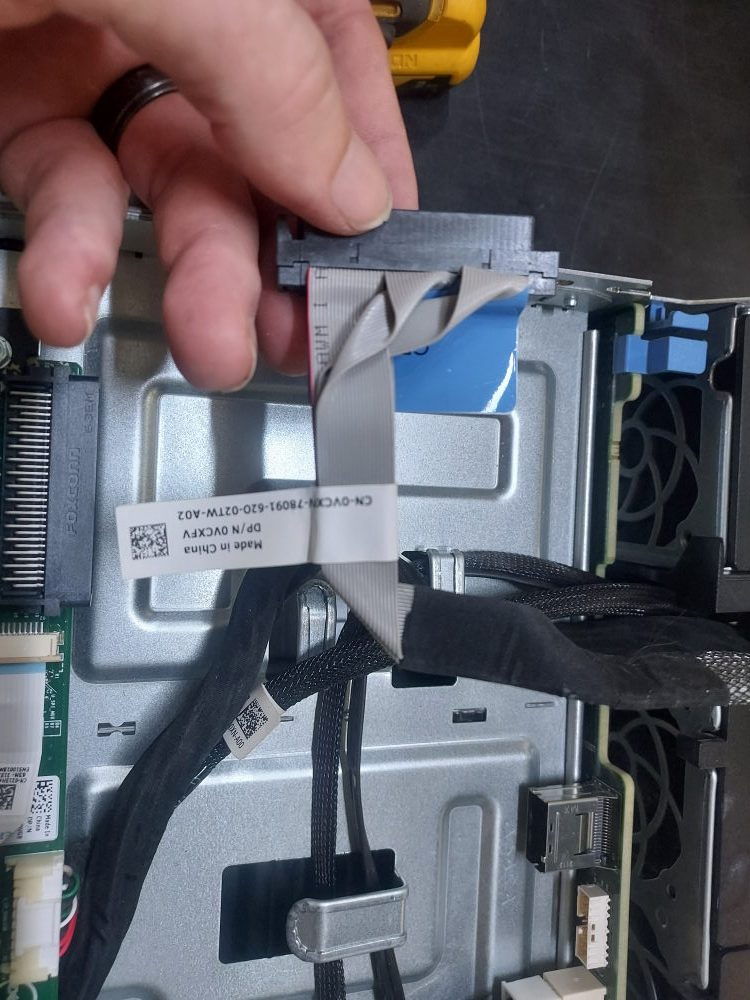
  • R530 Control Panel Cable

    R530 Control Panel Cable

    This is the front control panel cable for the Dell PowerEdge R530. It connects the front control panel to the motherboard.

    Notes:

    • Connects the front control panel to the system motherboard on Dell PowerEdge R520/R530 servers.
    • Used with the R520/R530 front control panel assembly.
    • 0VCXFV and VCXFV are the same Dell part number, with the leading zero omitted in some listings.
    • On R530 systems, it is used with the 0CDVG8 front control panel and 00FTN6 front USB cable in configurations equipped with the VGA/USB front panel.
    • This is a signal/control cable, not a power cable.
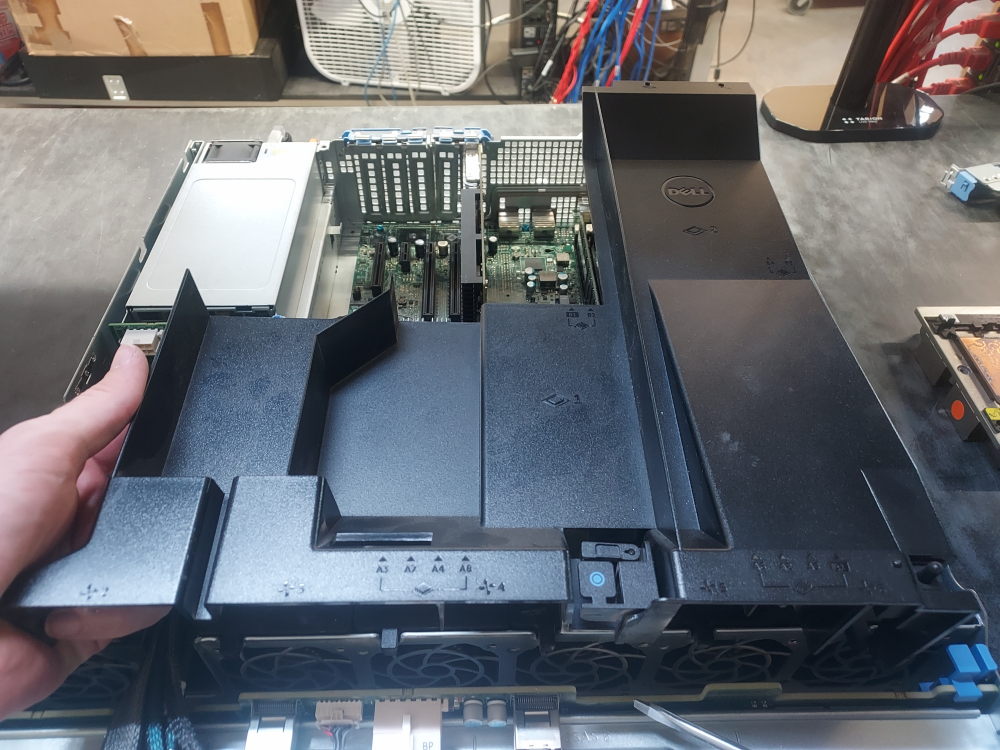
  • R530 8 Bay LFF Air Shroud

    R530 8 Bay LFF Air Shroud

    This is the air shroud for the Dell PowerEdge R530.

    Notes

    • The 03VPX5 is the processor/system air shroud for the Dell PowerEdge R530.
    • It is a plastic airflow baffle designed to channel cooling air through the CPU heatsinks and other critical components.
    • The assembly incorporates the intrusion switch used by the R530 chassis.
    • 03VPX5 and 3VPX5 are alternate representations of the same Dell part number.
    • Specifically associated with the R530 Beachcomber chassis configurations.
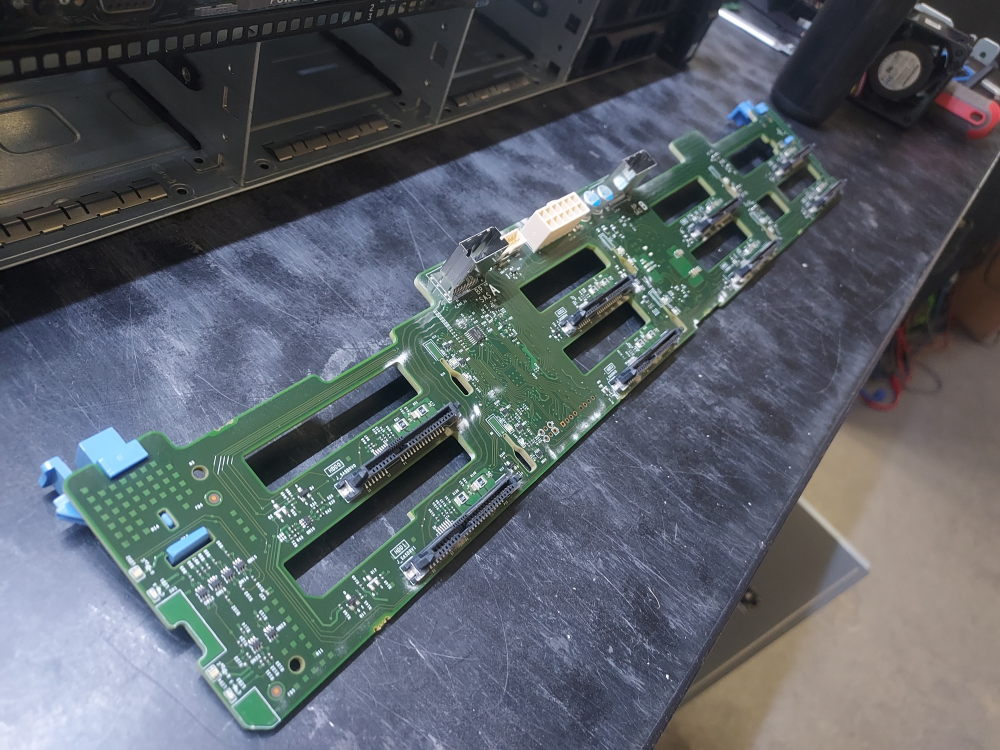
  • R530 8 Bay LFF Backplane

    R530 8 Bay LFF Backplane

    This is the primary backplane for the Dell PowerEdge R530 8 Bay LFF server.

    Notes

    • Provides connectivity for eight 3.5-inch SAS/SATA drives.
    • Designed for the PowerEdge R530 8-LFF configuration.
    • The board has two SAS connections for connecting the drive bays to the server’s storage controller. A Dell community discussion also identifies the board as having a 6×2 12V power connector and a smaller motherboard connection.
    • 0KKFN7 and KKFN7 refer to the same backplane.
    • This is an LFF backplane, so it should not be confused with the various 2.5-inch SFF R530 backplane configurations.
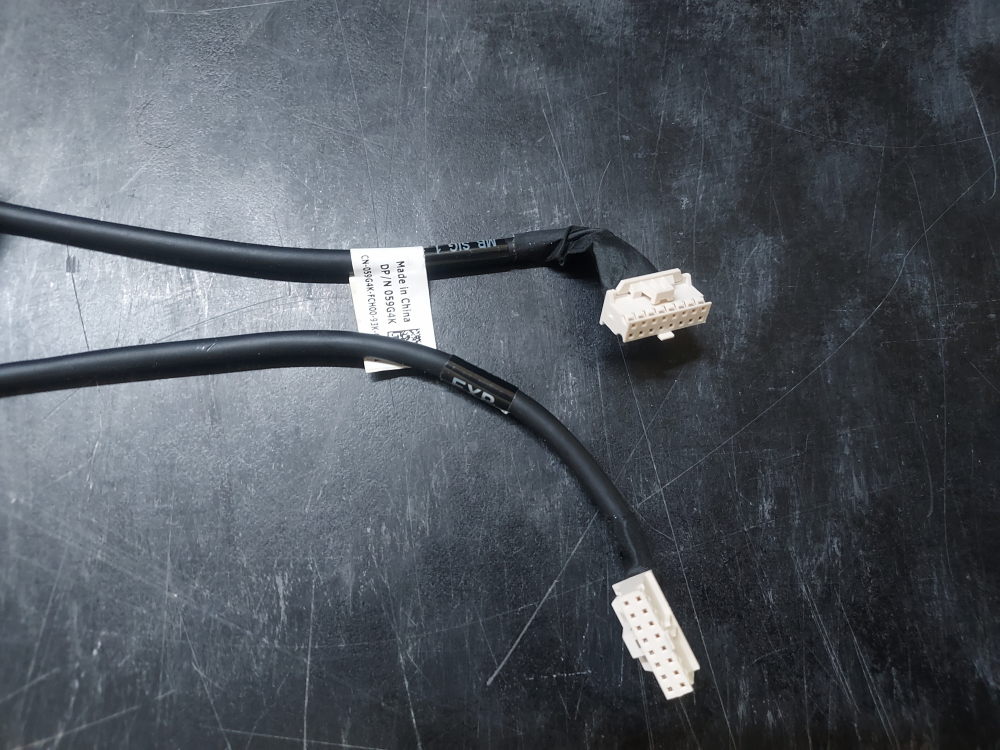
  • R640 10 Bay BP Signal Cable

    R640 10 Bay BP Signal Cable

    Signal cable that connects the backplane to the motherboard on the Dell PowerEdge R640 10 Bay server.

    Notes:

    • Dell PowerEdge R640 10-SFF
    • Backplane signal cable
    • Connects the system board to the backplane expander
    • Connects MB_SIG_1 on the motherboard to EXP on the expander
    • 1 × 16-pin connector to 1 × 16-pin connector
    • Approximately 43 cm long
    • Used with the 10 × 2.5-inch SFF drive configuration
    • Dell P/N: 059G4K
    • Alternate P/N: 59G4K
    • Not to be confused with the R640 backplane power cables; this is a signal/data cable.


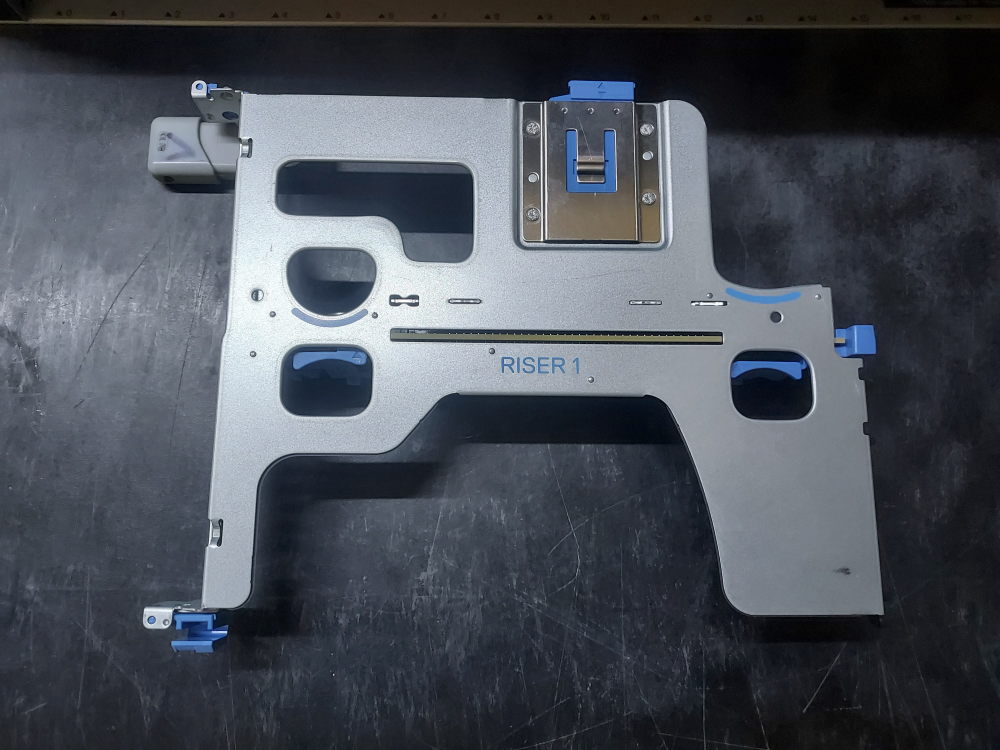
  • R640 Riser 1

    R640 Riser 1

    This is the primary riser (riser 1) for the Dell PowerEdge R640.

    Notes:

    • Dell PowerEdge R640 Riser 1A
    • Designed for the triple-riser rear chassis configuration
    • Provides 2 × PCIe Gen3 x16 physical slots
    • Both slots are x16 electrical
    • Low-profile / half-height
    • Half-length expansion slots
    • Riser connects to the first processor (CPU 1)
    • Supports PCIe expansion cards such as network adapters, storage controllers, and other PCIe devices
    • Dell P/N: 0815DM / 815DM
    • Riser board P/N: 005X7X / 05X7X
    • The 0815DM designation refers to the riser cage assembly, while 005X7X is the board itself.