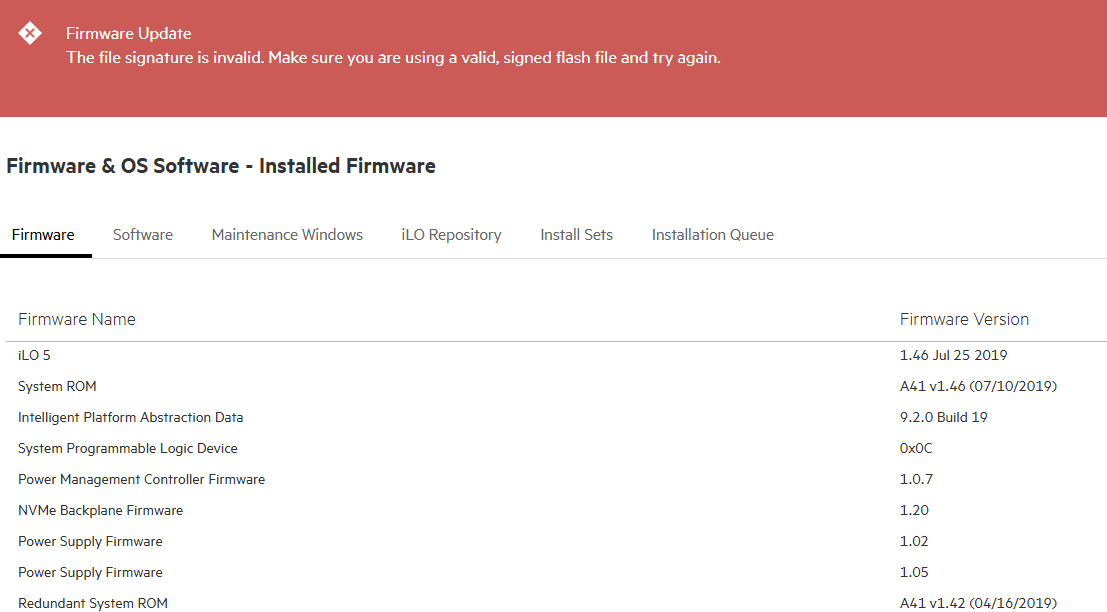
When attempting to update individual components like the BIOS, you may receive the following error:
The file signature is invalid. Make sure you are using a valid, signed flash file and try again.
In my case the iLO 5 firmware was at version 1.46. You can’t easily jump from such an old version to the latest version. Old versions of iLO cannot verify the signatures of the newer BIOS/firmware packages. The solution is to simply stair step the iLO firmware to the latest release and then all the other packages should easily install.
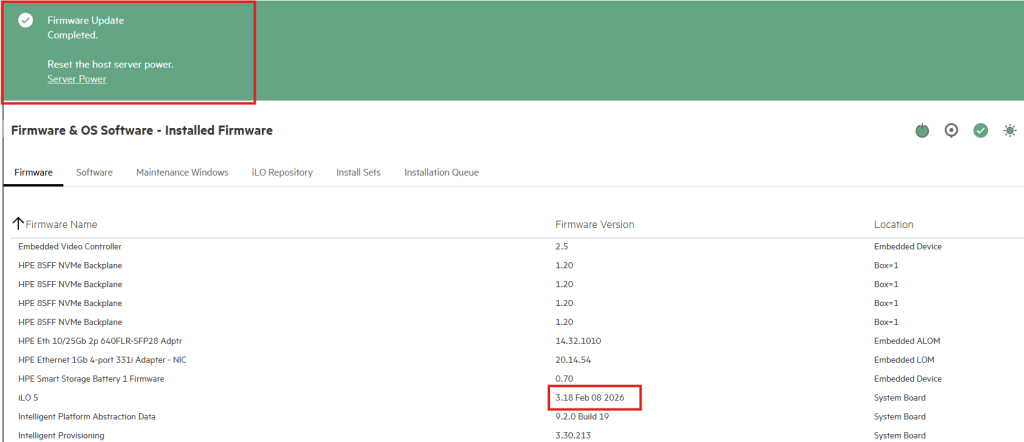
You also cannot jump from iLO version 1.46 all the way, to let’s say, version 3.18 at the time of this writing.
I found the following upgrade path works.
1.46 —> 2.14 —-> 2.35 —–>3.18
You might also try the following but it fails for me sometimes depending on the server:
1.46 —>2.35—->3.18 etc.
Certain version of iLO introduced capabilities to handle larger file sizes. Perhaps some servers have smaller BIOS packages hence the success of this upgrade path for some and the failure for others.
Once the iLO is fully updated it processes the BIOS upload correctly:
Leave a Reply