Author: root

  • List of Dell PowerEdge R940 Compatible Power Supplies

    List of Dell PowerEdge R940 Compatible Power Supplies

    Here is a list of power supplies known to be compatible with the Dell PowerEdge R940.

    Power Supply Part Number Output Description Efficiency Rating
    0CMPGMA01 1100W Dell redundant 1100W AC power supply manufactured by Lite-On. Not confirmed
    0CMPGMA02 1100W Dell redundant 1100W AC power supply in the Lite-On PSU family. Not confirmed
    0CMPGMA03 1100W Dell redundant 1100W AC power supply manufactured by Lite-On. Not confirmed
    09TMRFA00 1100W Dell redundant 1100W AC server power supply. Not confirmed
    0Y26KXA02 1100W Dell redundant 1100W AC power supply manufactured by Delta Electronics. Not confirmed
    0Y26KXA03 1100W Dell redundant 1100W AC power supply in the Delta PSU family. Not confirmed
    095HR5A01 1600W Dell redundant 1600W AC power supply. Not confirmed
    095HR5A04 1600W Dell redundant 1600W AC power supply manufactured by Delta Electronics. Not confirmed
    095HR5A05 1600W Dell redundant 1600W AC power supply. Not confirmed
    0T8MTCA00 2000W Dell redundant 2000W AC power supply for high-power enterprise systems. Not confirmed
    0W1R7VA00 2000W Dell redundant 2000W AC power supply for high-density enterprise systems. Not confirmed
    0CXC2TA01 2400W Dell high-output redundant 2400W AC power supply. Not confirmed
    0D3V0DA01 2400W Dell high-output redundant 2400W AC power supply. Not confirmed
    0J1CC3A00 2400W Dell high-output redundant 2400W AC power supply. Not confirmed
  • Complete List of Dell PowerEdge R440 Compatible Power Supplies

    Complete List of Dell PowerEdge R440 Compatible Power Supplies

    Below you will find a list of power supplies compatible with the Dell PowerEdge R440 server.

    Power Supply Part Number Wattage Description
    0034X1A02 550 W 550 W redundant hot-plug AC PSU; 80 PLUS Platinum efficiency; up to approximately 94% efficiency.
    06V43GA00 550 W 550 W redundant hot-plug AC PSU; 80 PLUS Platinum efficiency; up to approximately 94% efficiency.
    06V43GA01 550 W 550 W redundant hot-plug AC PSU; 80 PLUS Platinum efficiency; up to approximately 94% efficiency.
    06V43GA02 550 W 550 W redundant hot-plug AC PSU; 80 PLUS Platinum efficiency; up to approximately 94% efficiency.
    0NCNFFA00 550 W 550 W redundant hot-plug AC PSU; 80 PLUS Platinum efficiency; up to approximately 94% efficiency.
    0NCNFFA01 550 W 550 W redundant hot-plug AC PSU; 80 PLUS Platinum efficiency; up to approximately 94% efficiency.
    0NCNFFA02 550 W 550 W redundant hot-plug AC PSU; 80 PLUS Platinum efficiency; up to approximately 94% efficiency.
    0NCNFFA04 550 W 550 W redundant hot-plug AC PSU; 80 PLUS Platinum efficiency; up to approximately 94% efficiency.
    0X185VA00 550 W 550 W redundant hot-plug AC PSU; 80 PLUS Platinum efficiency; up to approximately 94% efficiency.
  • Complete List of Dell PowerEdge R640 Compatible Power Supplies

    Complete List of Dell PowerEdge R640 Compatible Power Supplies

    Below you will find a complete list of power supplies and associated part numbers tested for compatibility with the Dell PowerEdge R640 server platform.

    Power Supply Part Number Wattage Description
    02FR04A00 495 W 495 W redundant AC PSU; Platinum-class efficiency; 100–240 V AC.
    02FR04A01 495 W 495 W redundant AC PSU; Platinum-class efficiency; 100–240 V AC.
    09338DA01 495 W 495 W redundant AC PSU; Platinum-class efficiency; 100–240 V AC.
    09338DA02 495 W 495 W redundant AC PSU; Platinum-class efficiency; 100–240 V AC.
    0GRTNKA00 495 W 495 W redundant AC PSU; Platinum-class efficiency; 100–240 V AC.
    0GRTNKA01 495 W 495 W redundant AC PSU; Platinum-class efficiency; 100–240 V AC.
    0GRTNKA02 495 W 495 W redundant AC PSU; Platinum-class efficiency; 100–240 V AC.
    0GRTNKA03 495 W 495 W redundant AC PSU; Platinum-class efficiency; 100–240 V AC.
    0TH1CTA00 495 W 495 W redundant AC PSU; Platinum-class efficiency; 100–240 V AC.
    0TH1CTA01 495 W 495 W redundant AC PSU; Platinum-class efficiency; 100–240 V AC.
    0VKDD2A00 495 W 495 W redundant AC PSU; Platinum-class efficiency; 100–240 V AC.
    0VKDD2A01 495 W 495 W redundant AC PSU; Platinum-class efficiency; 100–240 V AC.
    0VKDD2A02 495 W 495 W redundant AC PSU; Platinum-class efficiency; 100–240 V AC.
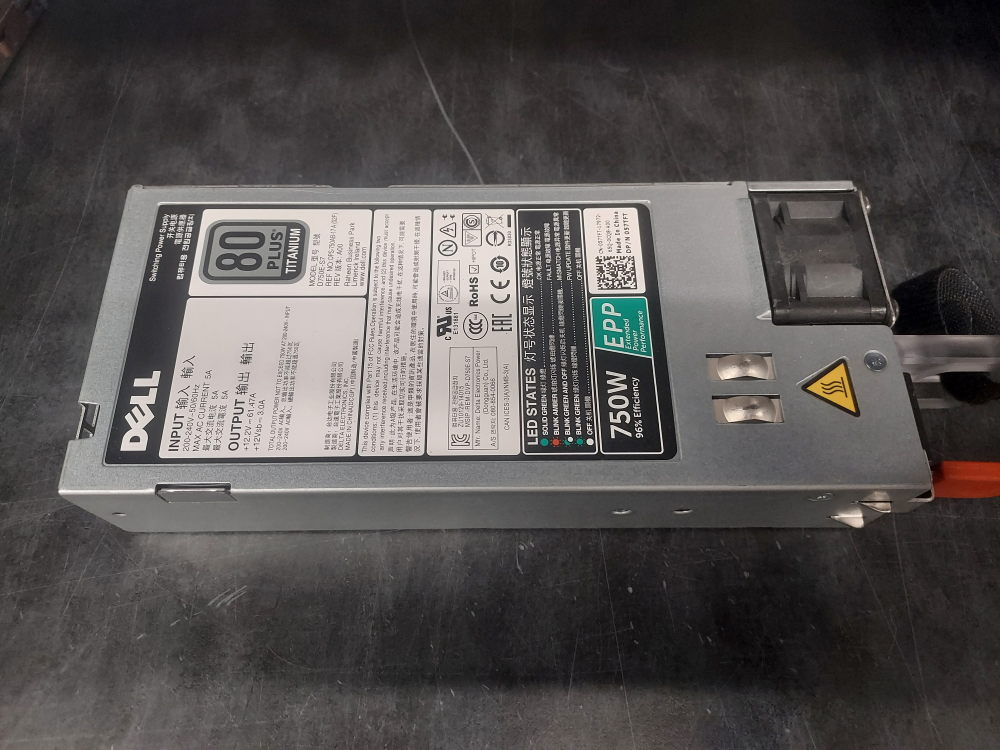
    0061XTA00 750 W 750 W redundant AC PSU; Platinum-class efficiency; 100–240 V AC.
    00XW8WA00 750 W 750 W redundant AC PSU; Platinum-class efficiency; 100–240 V AC.
    00XW8WA01 750 W 750 W redundant AC PSU; Platinum-class efficiency; 100–240 V AC.
    00XW8WA02 750 W 750 W redundant AC PSU; Platinum-class efficiency; 100–240 V AC.
    00XW8WA03 750 W 750 W redundant AC PSU; Platinum-class efficiency; 100–240 V AC.
    04V8KDA00 750 W 750 W redundant AC PSU; Platinum-class efficiency; 100–240 V AC.
    04V8KDA01 750 W 750 W redundant AC PSU; Platinum-class efficiency; 100–240 V AC.
    057TFTA00 750 W 750 W redundant AC PSU; Platinum-class efficiency; 100–240 V AC.
    057TFTA03 750 W 750 W redundant AC PSU; Platinum-class efficiency; 100–240 V AC.
    05RHVVA00 750 W 750 W redundant AC PSU; Platinum-class efficiency; 100–240 V AC.
    05RHVVA01 750 W 750 W redundant AC PSU; Platinum-class efficiency; 100–240 V AC.
    05RHVVA02 750 W 750 W redundant AC PSU; Platinum-class efficiency; 100–240 V AC.
    05RHVVA03 750 W 750 W redundant AC PSU; Platinum-class efficiency; 100–240 V AC.
    0953MXA00 750 W 750 W redundant AC PSU; Platinum-class efficiency; 100–240 V AC.
    0G6CCKA00 750 W 750 W redundant AC PSU; Platinum-class efficiency; 100–240 V AC.
    0G6CCKA02 750 W 750 W redundant AC PSU; Platinum-class efficiency; 100–240 V AC.
    0G6W6KA00 750 W 750 W redundant AC PSU; Platinum-class efficiency; 100–240 V AC.
    0HTRH4A01 750 W 750 W redundant AC PSU; Platinum-class efficiency; 100–240 V AC.
    0KTW3MA00 750 W 750 W redundant AC PSU; Platinum-class efficiency; 100–240 V AC.
    0PJMDNA00 750 W 750 W redundant AC PSU; Platinum-class efficiency; 100–240 V AC.
    0PJMDNA01 750 W 750 W redundant AC PSU; Platinum-class efficiency; 100–240 V AC.
    0PJMDNA02 750 W 750 W redundant AC PSU; Platinum-class efficiency; 100–240 V AC.
    0TPJ2XA00 750 W 750 W redundant AC PSU; Platinum-class efficiency; 100–240 V AC.
    0V1YJ6A00 750 W 750 W redundant AC PSU; Platinum-class efficiency; 100–240 V AC.
    0W8R3CA00 750 W 750 W redundant AC PSU; Platinum-class efficiency; 100–240 V AC.
    0W8R3CA01 750 W 750 W redundant AC PSU; Platinum-class efficiency; 100–240 V AC.
    0W8R3CA02 750 W 750 W redundant AC PSU; Platinum-class efficiency; 100–240 V AC.
    0W8R3CA03 750 W 750 W redundant AC PSU; Platinum-class efficiency; 100–240 V AC.
    0Y9VFCA00 750 W 750 W redundant AC PSU; Platinum-class efficiency; 100–240 V AC.
    0Y9VFCA01 750 W 750 W redundant AC PSU; Platinum-class efficiency; 100–240 V AC.
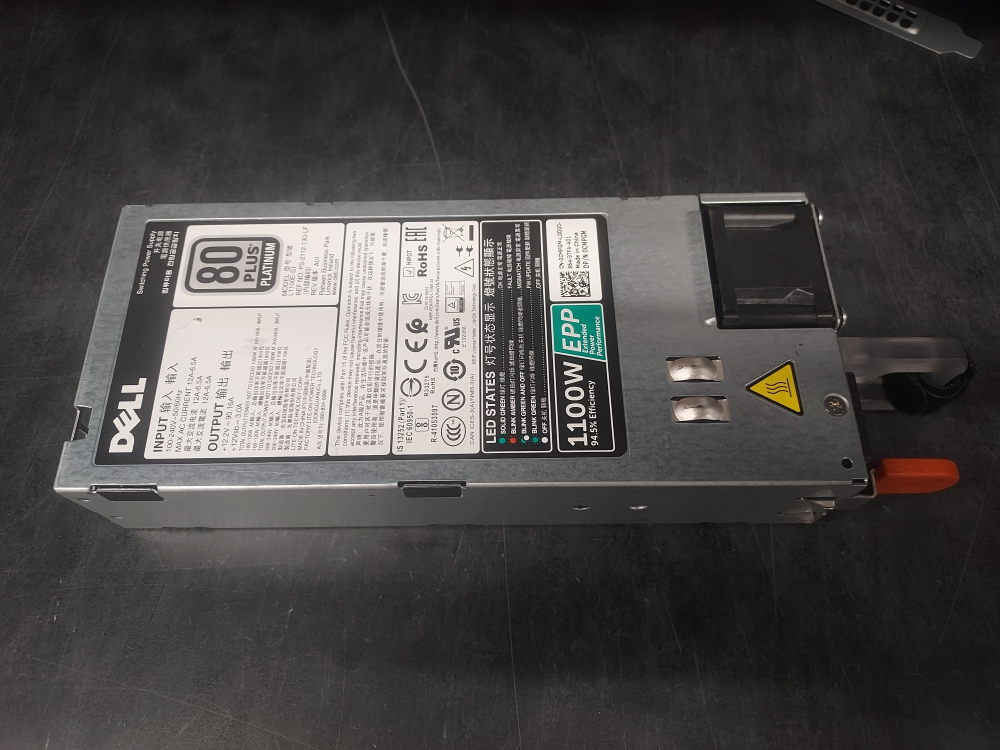
    09TMRFA00 1100 W 1100 W redundant AC PSU; Platinum-class efficiency; 100–240 V AC.
    09TMRFA01 1100 W 1100 W redundant AC PSU; Platinum-class efficiency; 100–240 V AC.
    0CMPGMA00 1100 W 1100 W redundant AC PSU; Platinum-class efficiency; 100–240 V AC.
    0CMPGMA01 1100 W 1100 W redundant AC PSU; Platinum-class efficiency; 100–240 V AC.
    0CMPGMA02 1100 W 1100 W redundant AC PSU; Platinum-class efficiency; 100–240 V AC.
    0CMPGMA03 1100 W 1100 W redundant AC PSU; Platinum-class efficiency; 100–240 V AC.
    0PR21CA00 1100 W 1100 W redundant AC PSU; Platinum-class efficiency; 100–240 V AC.
    0W12Y2A00 1100 W 1100 W redundant AC PSU; Platinum-class efficiency; 100–240 V AC.
    0Y26KXA00 1100 W 1100 W redundant AC PSU; Platinum-class efficiency; 100–240 V AC.
    0Y26KXA01 1100 W 1100 W redundant AC PSU; Platinum-class efficiency; 100–240 V AC.
    0Y26KXA02 1100 W 1100 W redundant AC PSU; Platinum-class efficiency; 100–240 V AC.
    0Y3H8JA00 1100 W 1100 W redundant AC PSU; Platinum-class efficiency; 100–240 V AC.
    095HR5A01 1600 W 1600 W redundant AC PSU; Platinum-class efficiency; full output requires 200–240 V AC.
    095HR5A02 1600 W 1600 W redundant AC PSU; Platinum-class efficiency; full output requires 200–240 V AC.
    095HR5A04 1600 W 1600 W redundant AC PSU; Platinum-class efficiency; full output requires 200–240 V AC.
  • Complete List of Dell PowerEdge R740 and R740xd Compatible Power Supplies

    Complete List of Dell PowerEdge R740 and R740xd Compatible Power Supplies

    Below you will find a complete list of Dell PowerEdge R740 and R740xd power supplies with associated part numbers. All have been tested for compatibility with the R740 and R740xd server platforms.

    Dell Part Number Wattage Efficiency Short Description
    0VKDD2A01 495 W 80 PLUS Platinum Dell 495 W redundant hot-swap AC power supply
    09338DA04 495 W 80 PLUS Platinum Dell 495 W redundant hot-swap AC power supply
    0TH1CTA01 495 W 80 PLUS Platinum Dell 495 W redundant hot-swap AC power supply
    0YGF8TA01 495 W 80 PLUS Platinum Dell 495 W redundant hot-swap AC power supply
    0TH1CTA00 495 W 80 PLUS Platinum Dell 495 W redundant hot-swap AC power supply
    0GRTNKA02 495 W 80 PLUS Platinum Dell 495 W redundant hot-swap AC power supply
    0PJMDNA01 750 W 80 PLUS Platinum Dell 750 W redundant hot-swap AC power supply
    0W8R3CA01 750 W 80 PLUS Platinum Dell 750 W redundant hot-swap AC power supply
    05RHVVA00 750 W 80 PLUS Platinum Dell 750 W redundant hot-swap AC power supply
    0KTW3MA00 750 W 80 PLUS Platinum Dell 750 W redundant hot-swap AC power supply
    0G6W6KA00 750 W 80 PLUS Platinum Dell 750 W redundant hot-swap AC power supply
    0V1YJ6A00 750 W 80 PLUS Platinum Dell 750 W redundant hot-swap AC power supply
    0953MXA00 750 W 80 PLUS Platinum Dell 750 W redundant hot-swap AC power supply
    0Y9VFCA00 750 W 80 PLUS Platinum Dell 750 W redundant hot-swap AC power supply
    0Y9VFCA01 750 W 80 PLUS Platinum Dell 750 W redundant hot-swap AC power supply
    05RHVVA02 750 W 80 PLUS Platinum Dell 750 W redundant hot-swap AC power supply
    05RHVVA03 750 W 80 PLUS Platinum Dell 750 W redundant hot-swap AC power supply
    0TPJ2XA00 750 W 80 PLUS Platinum Dell 750 W redundant hot-swap AC power supply
    057TFTA00 750 W 80 PLUS Platinum Dell 750 W redundant hot-swap AC power supply
    04V8KDA00 750 W 80 PLUS Platinum Dell 750 W redundant hot-swap AC power supply
    00XW8WA00 750 W 80 PLUS Platinum Dell 750 W redundant hot-swap AC power supply
    0PJMDNA02 750 W 80 PLUS Platinum Dell 750 W redundant hot-swap AC power supply
    057TFTA03 750 W 80 PLUS Platinum Dell 750 W redundant hot-swap AC power supply
    0W8R3CA00 750 W 80 PLUS Platinum Dell 750 W redundant hot-swap AC power supply
    08H33MA01 750 W 80 PLUS Platinum Dell 750 W redundant hot-swap AC power supply
    0W8R3CA02 750 W 80 PLUS Platinum Dell 750 W redundant hot-swap AC power supply
    04V8KDA01 750 W 80 PLUS Platinum Dell 750 W redundant hot-swap AC power supply
    0061XTA00 750 W 80 PLUS Platinum Dell 750 W redundant hot-swap AC power supply
    0G6CCKA00 750 W 80 PLUS Platinum Dell 750 W redundant hot-swap AC power supply
    0G6CCKA02 750 W 80 PLUS Platinum Dell 750 W redundant hot-swap AC power supply
    0HTRH4A01 750 W 80 PLUS Platinum Dell 750 W redundant hot-swap AC power supply
    0W8R3CA03 750 W 80 PLUS Platinum Dell 750 W redundant hot-swap AC power supply
    00XW8WA03 750 W 80 PLUS Platinum Dell 750 W redundant hot-swap AC power supply
    0061XTA01 750 W 80 PLUS Platinum Dell 750 W redundant hot-swap AC power supply
    0Y26KXA02 1100 W 80 PLUS Platinum Dell 1100 W redundant hot-swap AC power supply
    0CMPGMA03 1100 W 80 PLUS Platinum Dell 1100 W redundant hot-swap AC power supply
    0Y26KXA03 1100 W 80 PLUS Platinum Dell 1100 W redundant hot-swap AC power supply
    0Y26KXA01 1100 W 80 PLUS Platinum Dell 1100 W redundant hot-swap AC power supply
    0Y26KXA00 1100 W 80 PLUS Platinum Dell 1100 W redundant hot-swap AC power supply
    0CMPGMA02 1100 W 80 PLUS Platinum Dell 1100 W redundant hot-swap AC power supply
    0CMPGMA01 1100 W 80 PLUS Platinum Dell 1100 W redundant hot-swap AC power supply
    09TMRFA01 1100 W 80 PLUS Platinum Dell 1100 W redundant hot-swap AC power supply
    0Y3H8JA00 1100 W 80 PLUS Platinum Dell 1100 W redundant hot-swap AC power supply
    0PR21CA00 1100 W 80 PLUS Platinum Dell 1100 W redundant hot-swap AC power supply
    0TFR9VA01 1100 W 80 PLUS Platinum Dell 1100 W redundant hot-swap AC power supply
    0W12Y2A00 1100 W 80 PLUS Platinum Dell 1100 W redundant hot-swap AC power supply
    095HR5A01 1600 W 80 PLUS Platinum Dell 1600 W extended-performance redundant hot-swap AC power supply
    095HR5A02 1600 W 80 PLUS Platinum Dell 1600 W extended-performance redundant hot-swap AC power supply
    095HR5A04 1600 W 80 PLUS Platinum Dell 1600 W extended-performance redundant hot-swap AC power supply
    0W1R7VA01 2000 W 80 PLUS Platinum Dell 2000 W extended-performance redundant hot-swap AC power supply
    0MVP7CA00 2000 W 80 PLUS Platinum Dell 2000 W extended-performance redundant hot-swap AC power supply
    0T8MTCA00 2000 W 80 PLUS Platinum Dell 2000 W extended-performance redundant hot-swap AC power supply
    0VWWF1A00 2000 W 80 PLUS Platinum Dell 2000 W extended-performance redundant hot-swap AC power supply
    0J5WMGA02 2000 W 80 PLUS Platinum Dell 2000 W extended-performance redundant hot-swap AC power supply
    0J1CC3A00 2400 W 80 PLUS Platinum Dell 2400 W extended-performance redundant hot-swap AC power supply
    0D3V0DA01 2400 W 80 PLUS Platinum Dell 2400 W extended-performance redundant hot-swap AC power supply
  • Dell PowerEdge R440 8 Bay SFF Build Configuration and Guide

    Dell PowerEdge R440 8 Bay SFF Build Configuration and Guide

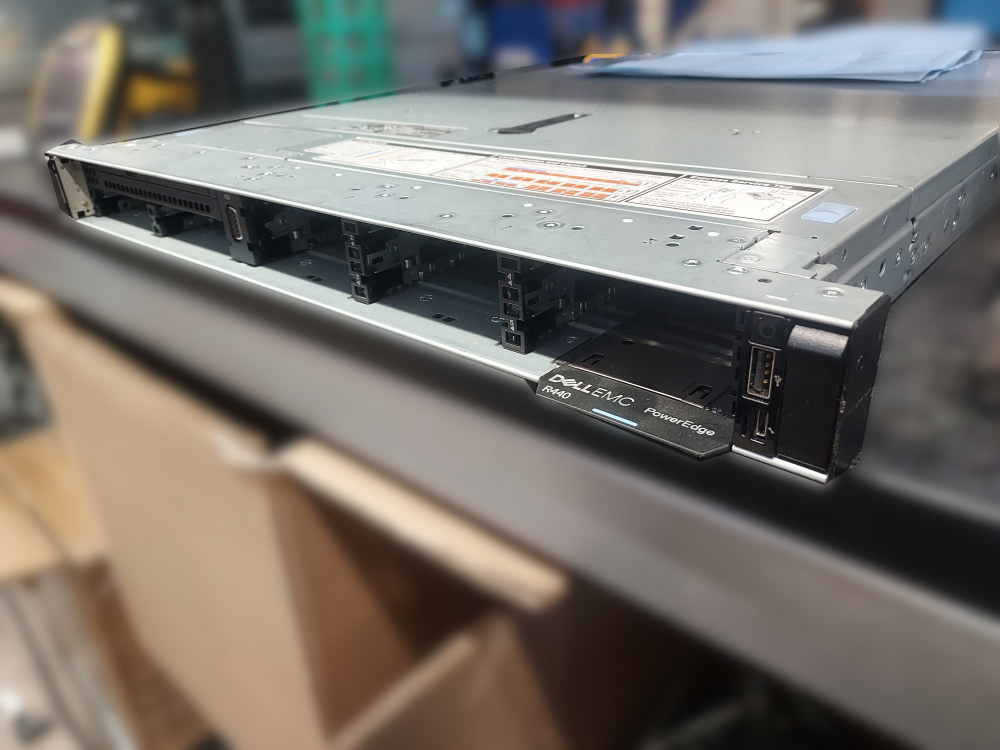
    The Dell PowerEdge R440 is a 1U server designed for Intel Xeon Scalable processors. The platform is available in several storage and PCIe configurations. The server we’ll focus on today is the Dell PowerEdge R440 8 Bay Small Form Factor, which supports up to eight 2.5-inch SAS or SATA drives through the front drive bays.

    This guide covers the major components required to assemble an R440 8 Bay from an empty chassis, including the motherboard, storage backplane and cabling, cooling system, and PCIe risers.

    Essential Components

    Before you begin assembling an R440 8 Bay from an empty chassis, it is important to identify the hardware required to turn the chassis into a functioning server. This section covers the major components that should be installed and verified before moving on to the rest of the build.

    The goal is to start with a bare chassis and make sure you have everything necessary to power the system on, recognize the installed hardware, and eventually install an operating system.

    For a complete list of compatible R440 parts and components see this page. 

    Motherboard

    The motherboard should already be installed in the chassis and securely fastened in place. It serves as the central connection point for the server’s processors, memory, storage, expansion cards, cooling system, and power delivery.

    The processors and memory modules are installed directly onto the motherboard, while the power supplies connect through the rear of the chassis to the R440 power distribution board. PCIe risers attach to the motherboard to provide expansion slots, and the front storage backplane connects to the system board and storage controller. The hot-swap fan modules also connect directly to the motherboard.

    Before installing additional components, make sure the motherboard is properly seated and secured inside the chassis.

    Backplane and Cables
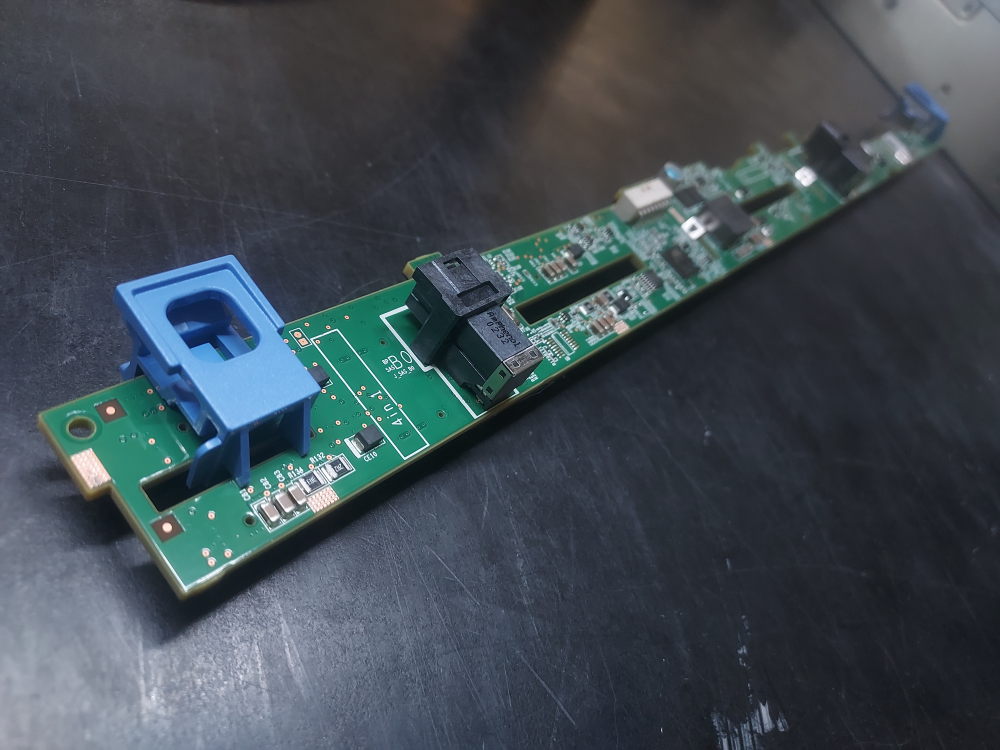
    Backplane for the Dell PowerEdge R440 8 Bay SFF server

    The front storage backplane is a critical component of the R440 8 Bay configuration. It provides the connections required for the front-mounted drives to communicate with the server’s storage controller while also supplying power to the drive bays.

    The backplane requires the appropriate signal and power connections, along with the SAS connection to the RAID or HBA controller. This is the required signal cable for the backplane. The signal cable connects the backplane to the motherboard.

    The power cable for the backplane is supplied by the power distribution board. 

    For the 8 Bay SFF backplane you’ll need this SAS cable if you’ll be using a standard PCIe RAID or HBA controller from Dell. There is also a cable compatible with the H750 controller. The H750 has a different connector compared to controllers like the H730P or the H740P.  Select the right cable for your particular controller.

    Please note – the R440 does not support a Dell mini mono RAID/HBA controller like many other platforms in the same generation.

    Before proceeding with the build, inspect the backplane and verify that all required signal, power, and storage-controller connections are present and properly seated.

    Cooling
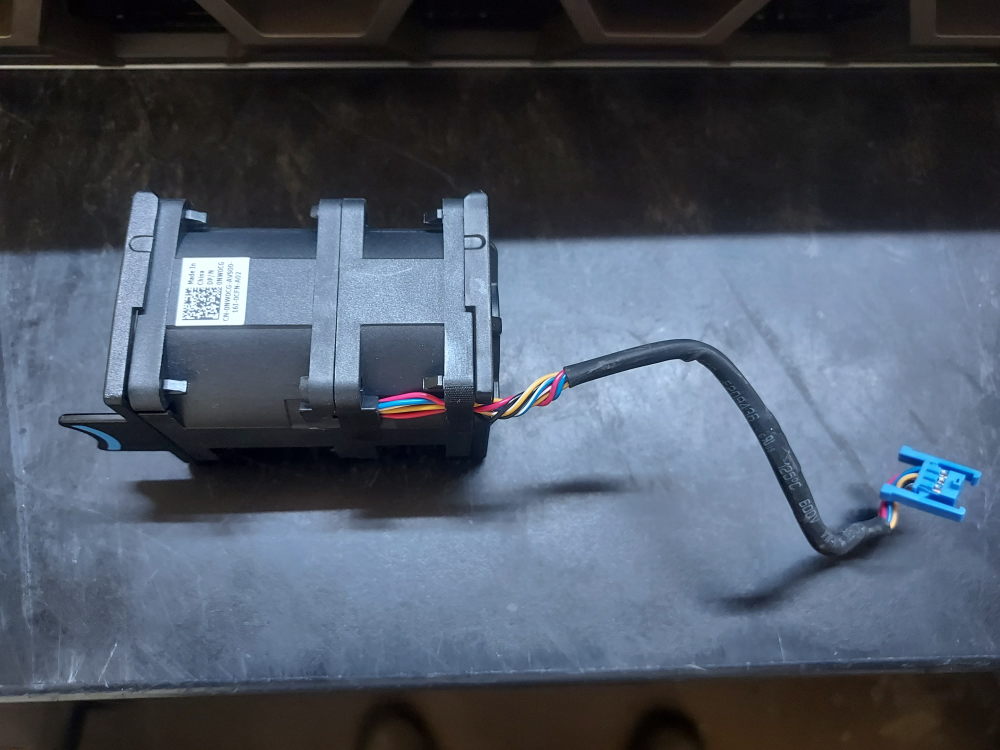
    Standard cooling fan for the Dell PowerEdge R440

    The R440 uses a combination of fan modules, processor heatsinks, and an air shroud to maintain proper operating temperatures. These components work together to move airflow through the 1U chassis and remove heat from the processors, memory, and other internal hardware.

    The R440 uses 6 fans to push air through the system. These fans are not hot swappable nor are they modular like the fan design of the R640. The fans connect to the motherboard via cable and the system should be powered off if you need to change them. The fans come in both a standard and high performance variation.

    The processors also require compatible heatsinks. A system with two processors will require two heatsinks. On the R440 the heatsinks for CPU1 and CPU2 are not interchangeable. This is the heatsink for CPU1 and this is the heatsink for CPU2.

    The final major cooling component is the air shroud. Positioned over the motherboard, the shroud directs airflow from the fan modules through the processor and memory areas. Operating the server without the appropriate shroud can disrupt the intended airflow pattern and reduce cooling performance.

    The fan modules, processor heatsinks, and air shroud should all be considered essential parts of the R440’s thermal management system.

    Risers
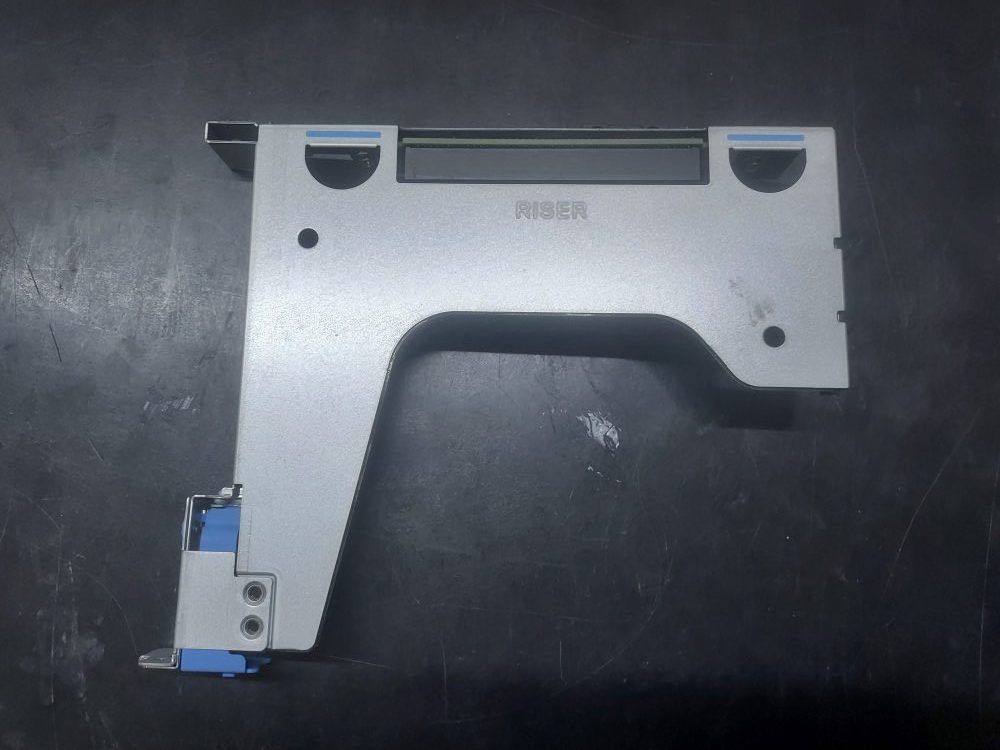
    Primary riser for the Dell PowerEdge R440 server

    The R440 has a relatively simple PCIe riser system compared with larger PowerEdge platforms. There are 2 different chassis variations. One variation supports a single full-height riser in the rear (see picture above.) The other chassis variation supports 2 low-profile risers in the rear. Both variations support the internal riser designed for a PCIe RAID/HBA controller.

    The following build guide will be focused on the chassis variation with the full-height riser.

    If I ever get access to the 2 riser chassis I will update the guide.

    Here is a breakdown of general riser terminology:

    • LP (Low Profile) refers to the height of the expansion card.
    • FH (Full Height) refers to the taller standard-height card.
    • HL (Half Length) refers to the front-to-back length of the card.

    For example, an FHHL card is full-height and half-length, while an LPHL card is low-profile and half-length.

    Another note if you have the 2 rear low-profile riser chassis – the left and right low-profile risers are not interchangeable. Although both accept low-profile, half-length cards, they are different assemblies and connect to different processor PCIe resources.

    Building the server

    You will need the following tools to complete this build:

    • Torque #30
    • Phillips #2
    • Compressed air
    • thermal paste

    Installing the processors

    Remove the lid to the server and remove the air shroud. Remove the heatsink of CPU1 to expose the CPU socket. Press inward on the blue plastic retaining clips. Do not be alarmed if they snap off or break. This is common after years of heat exposure and they aren’t entirely necessary.
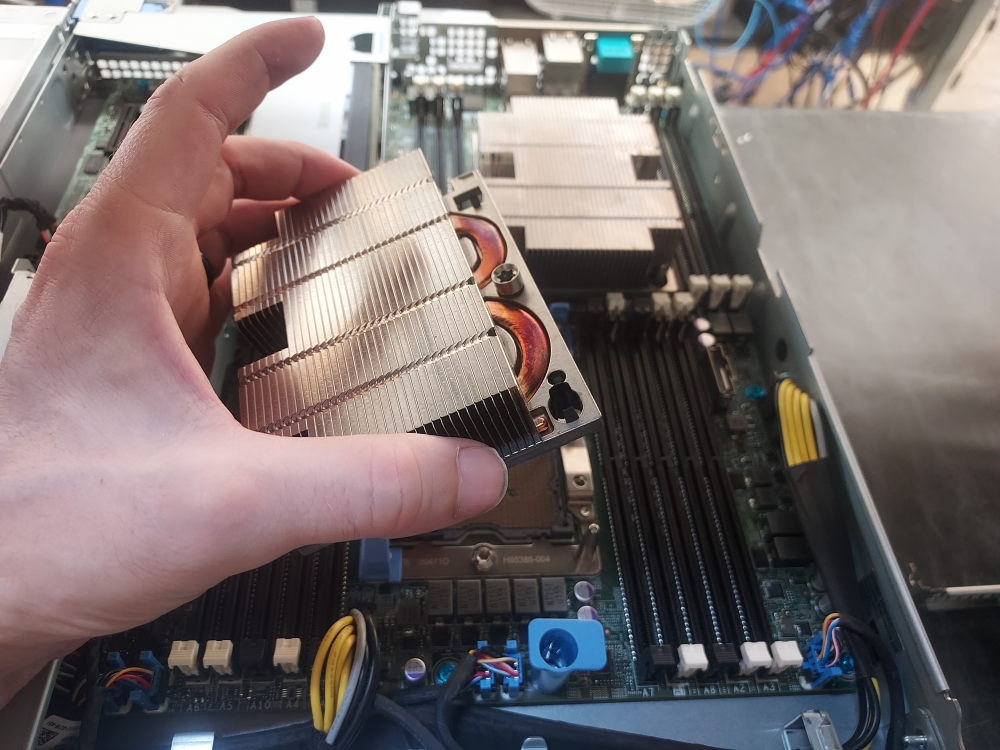
    Visually inspect the CPU pins. None of them should be bent. Blow out any dust or debris with a can of compressed air or electric blower.
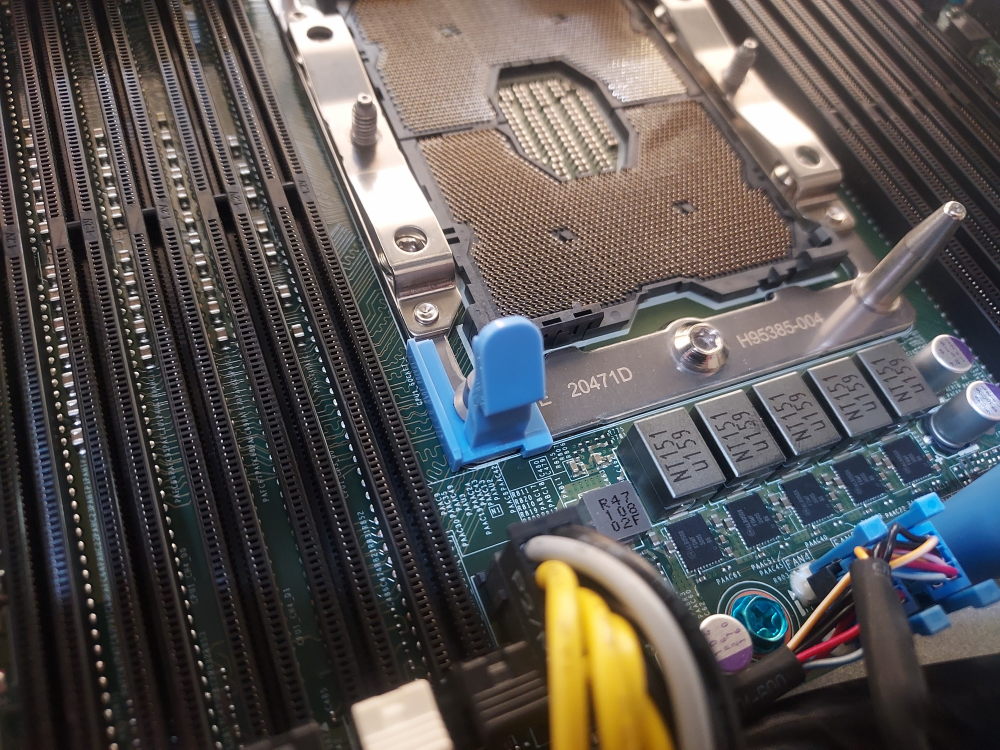
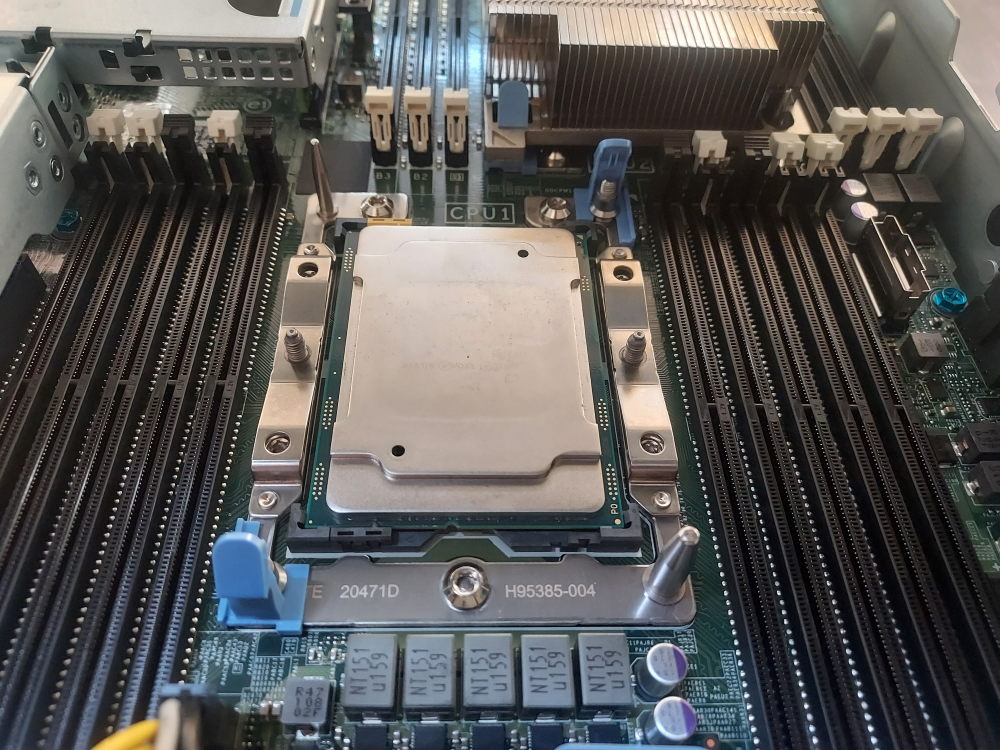
    Carefully place the CPU in the socket. Make sure the arrow on the CPU is oriented with the arrow on the motherboard.
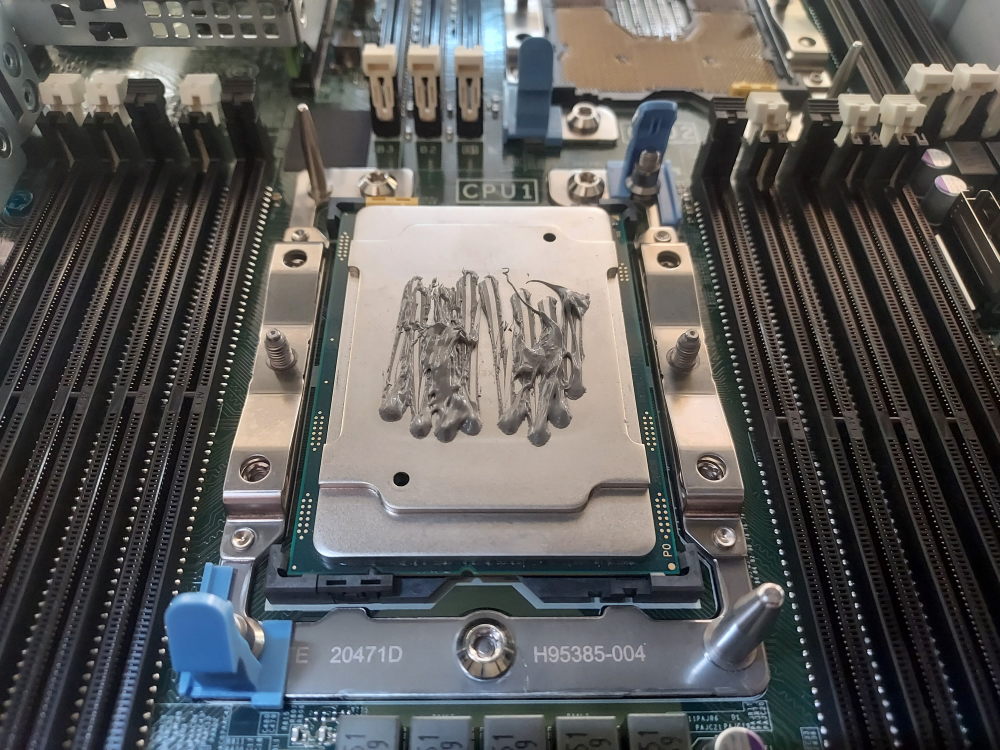
    Apply thermal paste. Please excuse my messy application on this one (:
    Place the heatsink over the CPU and press firmly until you hear the black plastic CPU retaining bracket snap into place. Screw down with a T30 bit.
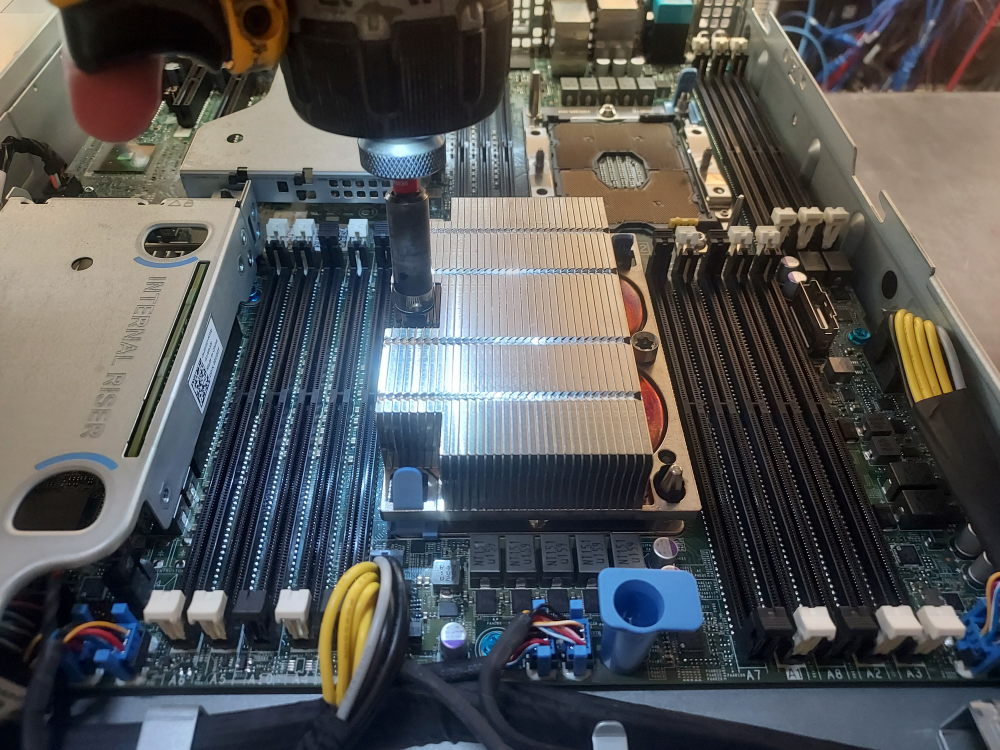
    Follow the same procedure above to install CPU2.

    Installing memory

    Dell went with a curious memory arrangement for the R440. There are 10 DIMM slots assigned to CPU1 yet only 6 assigned to CPU2. The memory configuration rules remain similar to other servers of the same platform – spread your memory across as many channels as possible and mirror the configuration across both processors. If you populate DIMM A1 be sure to populate DIMM B1 (for a 2 CPU configuration) The R440 has a total of 6 channels per CPU. Each channel is represented by the white DIMM slots. Secondary slots for the channel are represented by the black slots. Always populate the white slots first.

    Here I have just 2 sticks of RAM so I’ll populate DIMMs A1 and B1. You could just as easily populate DIMMs A2 and B2. The point is to mirror the configuration and use as many channels as possible.
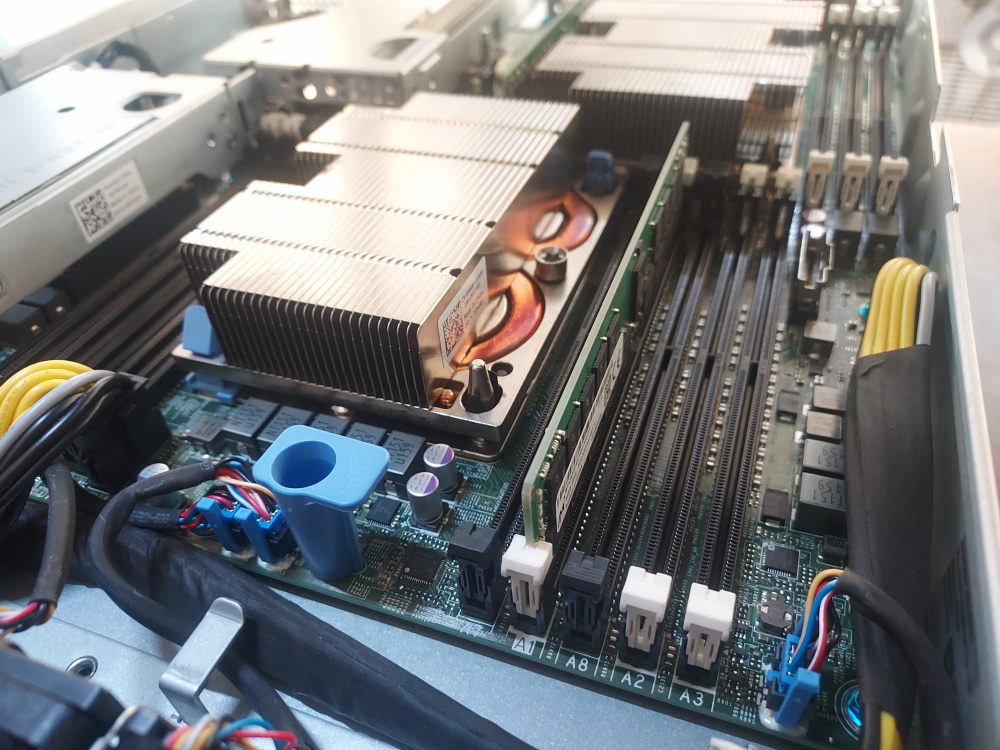
    Installing memory on Dell PowerEdge R440

    Click to see PowerEdge R440 channel layout

    CPU1:

    • A1 / A7 = Channel 0
    • A2 / A8 = Channel 1
    • A3 = Channel 2
    • A4 / A9 = Channel 3
    • A5 / A10 = Channel 4
    • A6 = Channel 5

    CPU2:

    • B1 = Channel 0
    • B2 = Channel 1
    • B3 = Channel 2
    • B4 = Channel 3
    • B5 = Channel 4
    • B6 = Channel 5

    Installing the RAID/HBA controller

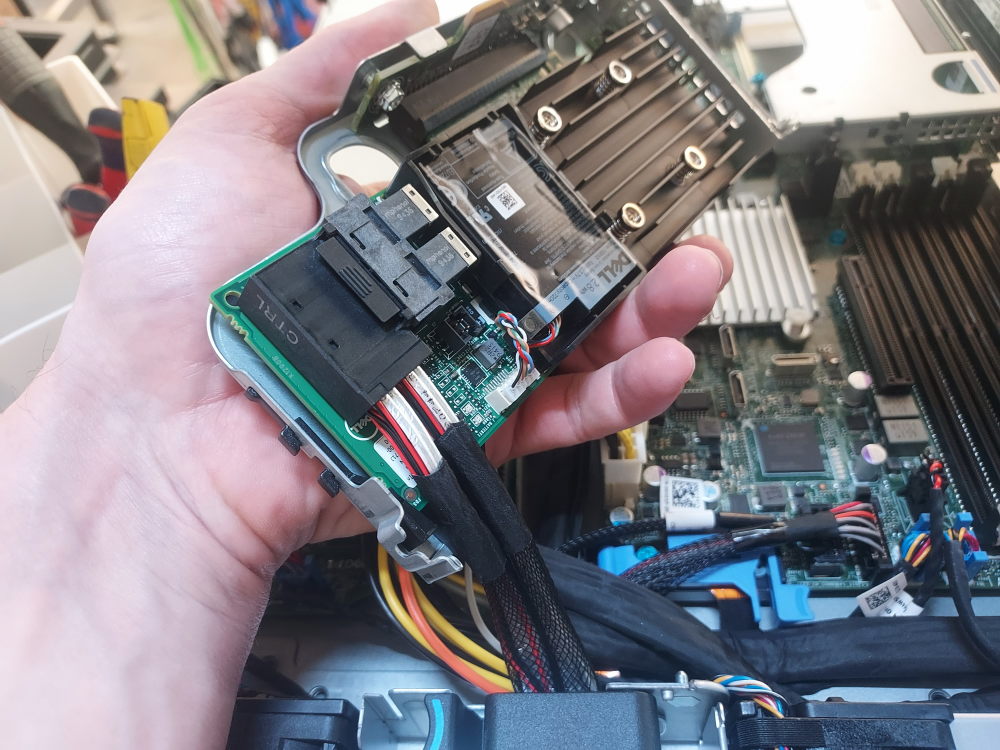
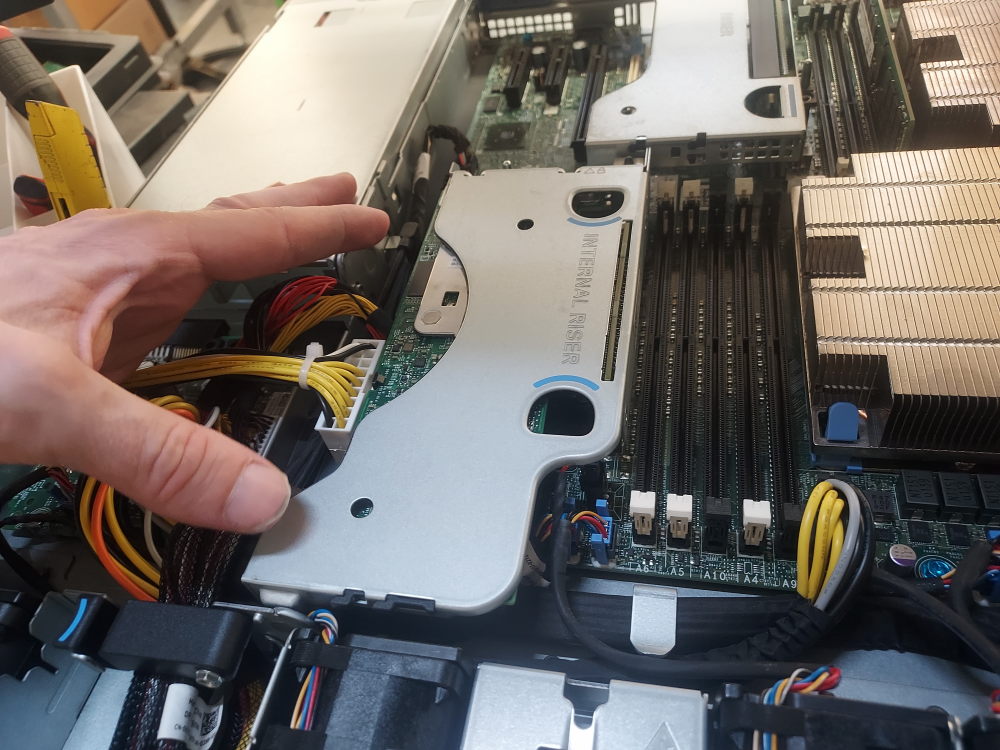
    Near the center left of the chassis you will see the low profile internal riser. This where the storage controller will install. The storage controller will need a low profile bracket. I find it is easier to first remove the internal riser, connect the storage cable to the storage controller, install the controller into riser, and finally install the riser back on the motherboard.

    The first thing you need to do is ensure the storage cable is properly plugged into the backplane and routed in a way that reaches the internal riser.

    2 mini SAS HD connectors labeled A0 and B0 connect to the backplane:
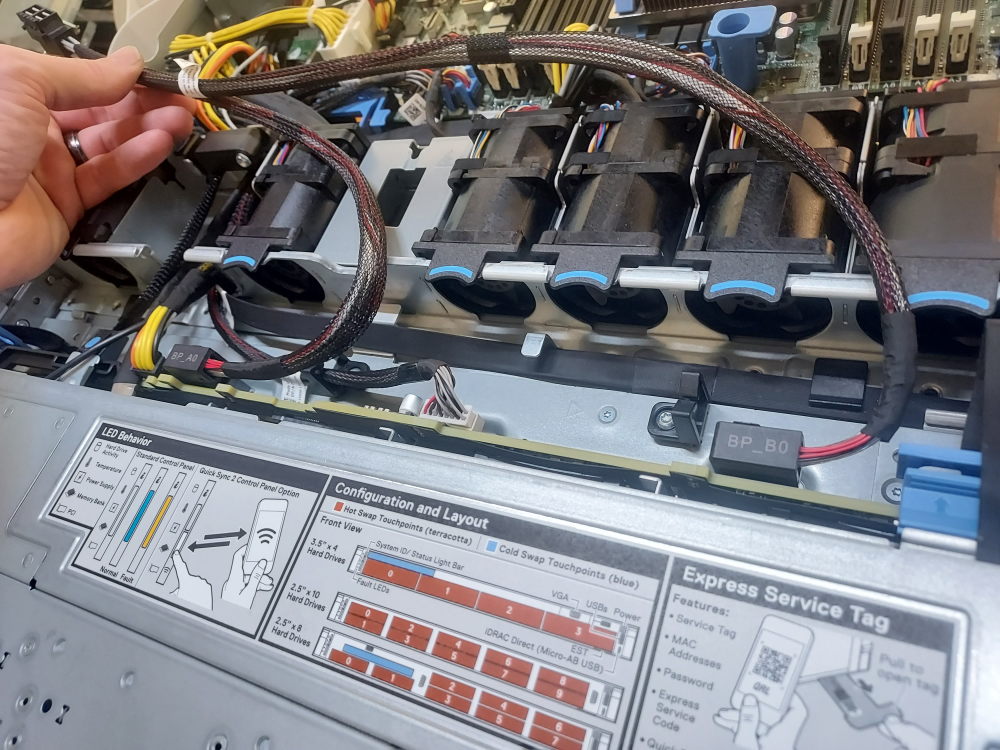
    The cable routes through this part of the server.
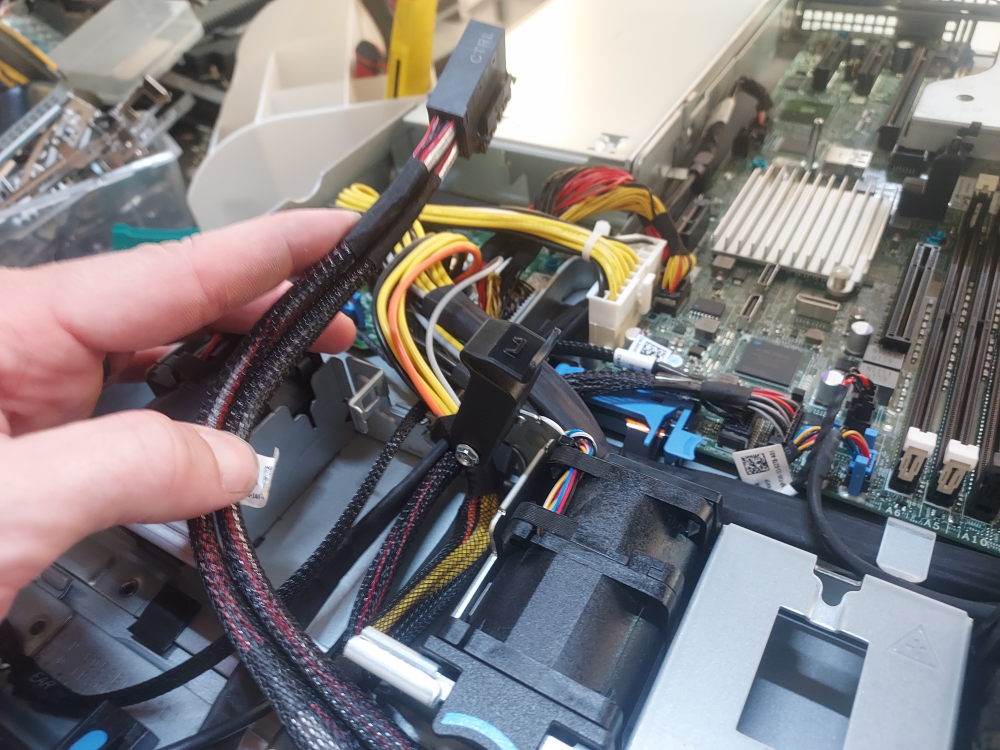
    Remove the riser. There is a small blue locking mechanism that must be switched before removing.
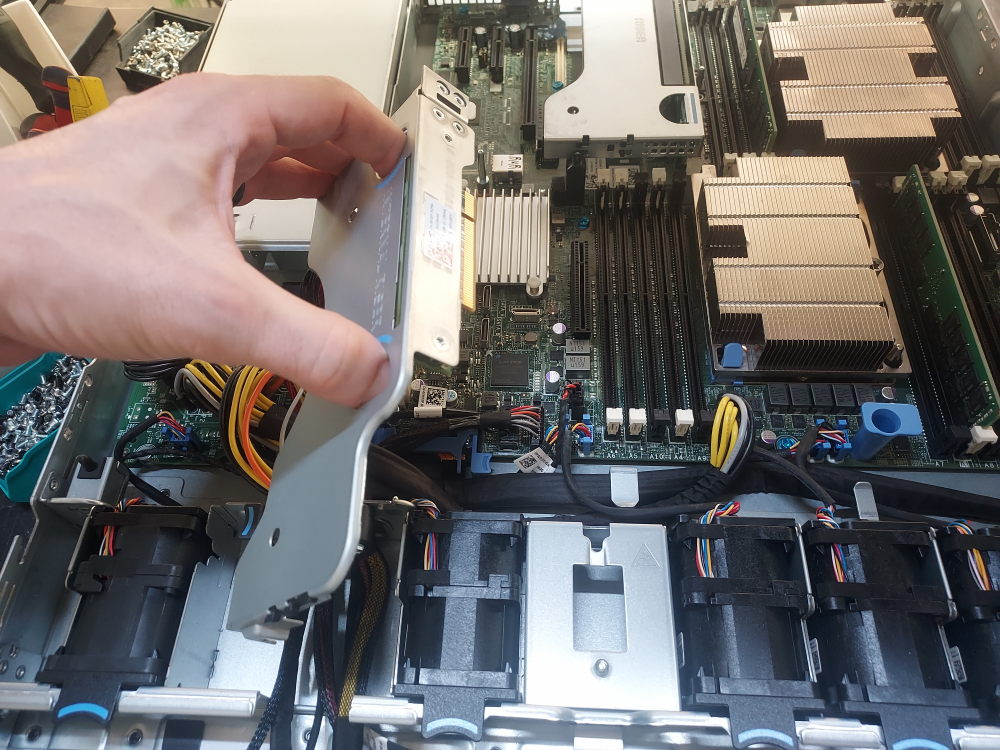
    Install the controller into the riser.
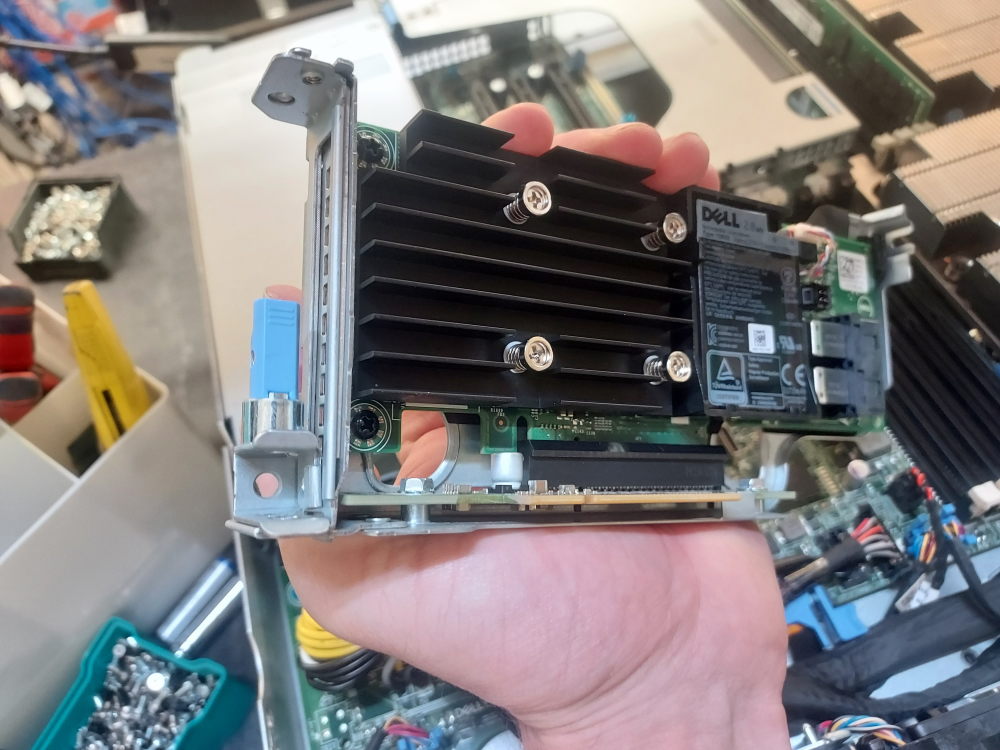
    Plug in the SAS cable:
    Reinstall the riser:
    Installing the LOM/OCP riser

    The R440 supports various compatible OCP network cards that DELL (somewhat confusingly) calls the LOM riser. The card installs into the OCP mezzanine port at the rear of the server.

    Remove the riser(s) to access the installation point:
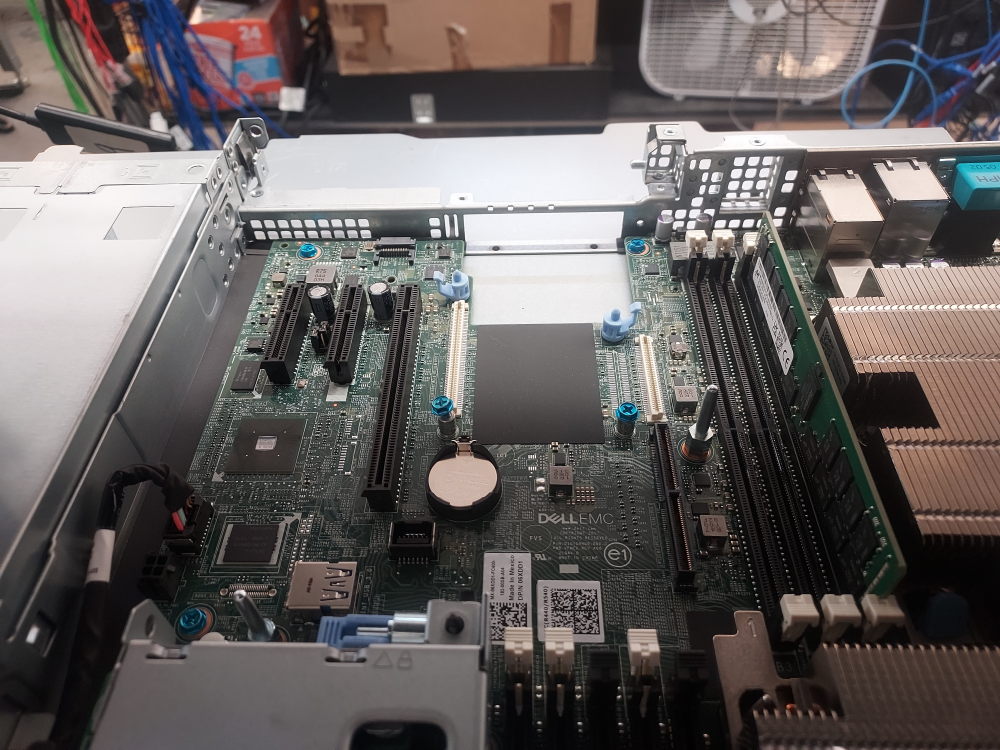
    Remove any screws present in the mounting holes:
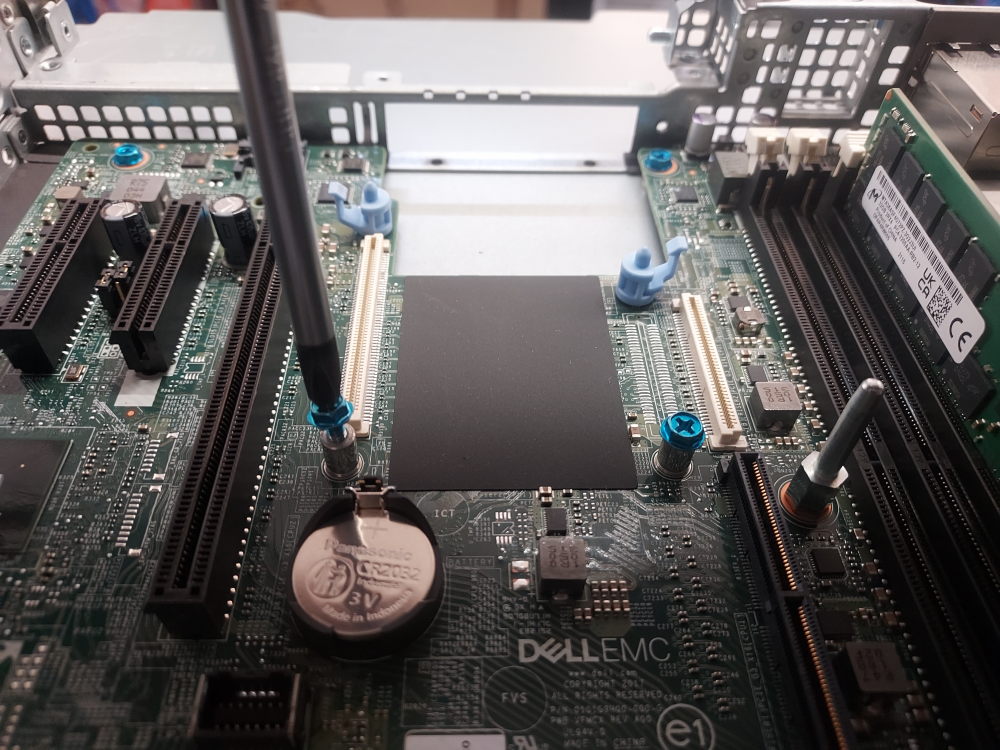
    Line up the connectors. The card will have holes that align with the blue pegs seen on the motherboard:
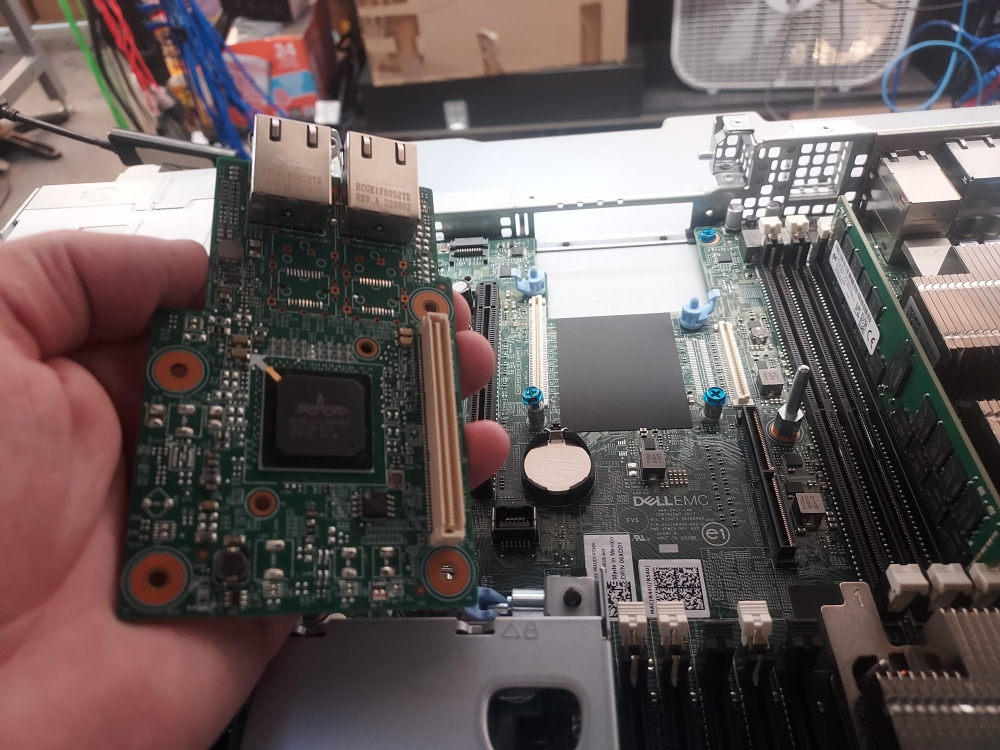
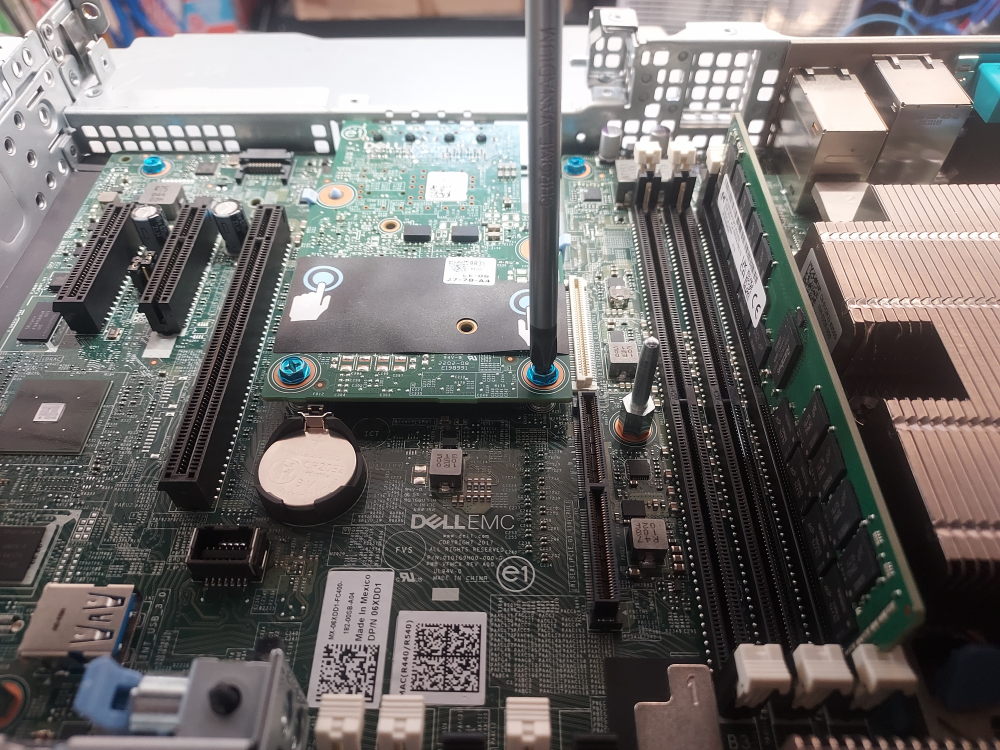
    Insert the ports through the rear bracket and then snap the card into place. Secure the card with 2 screws using a phillips #2 bit:
    Installing the rear riser(s)

    Now that the OCP networking card is installed you can reinstall the riser. As mentioned in the beginning, the particular chassis in this guide is setup for a single full-height riser. There is also a chassis variation that has 2 low-profile risers rather than one full-height.

    Now is the time to install any PCIe devices you’d like:
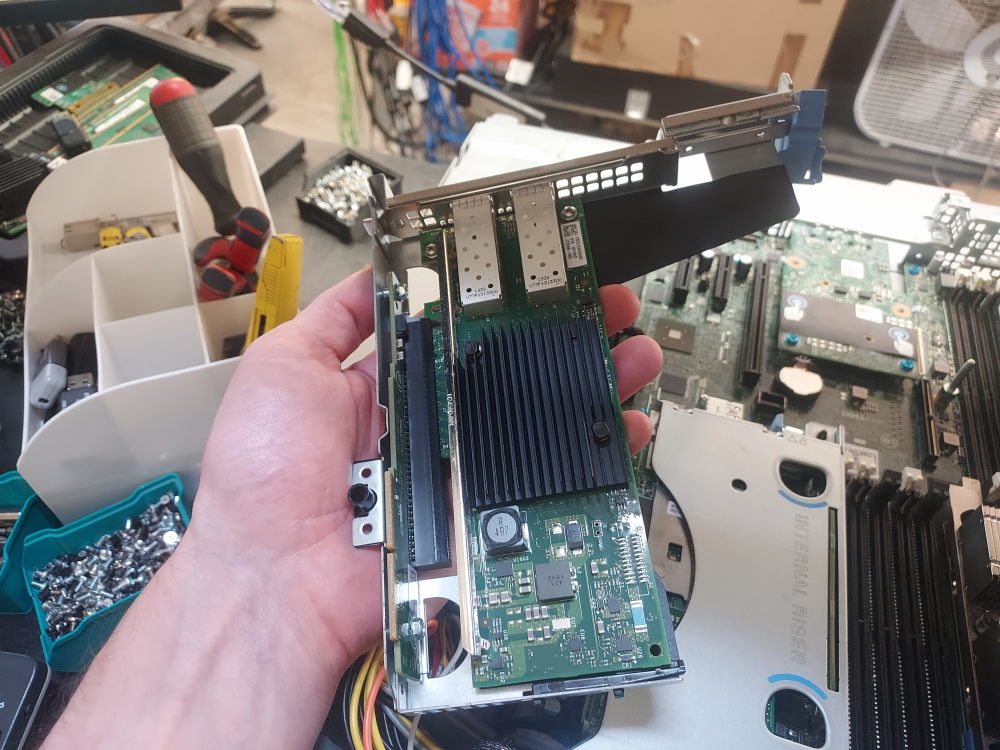
    Take note of the alignment peg:
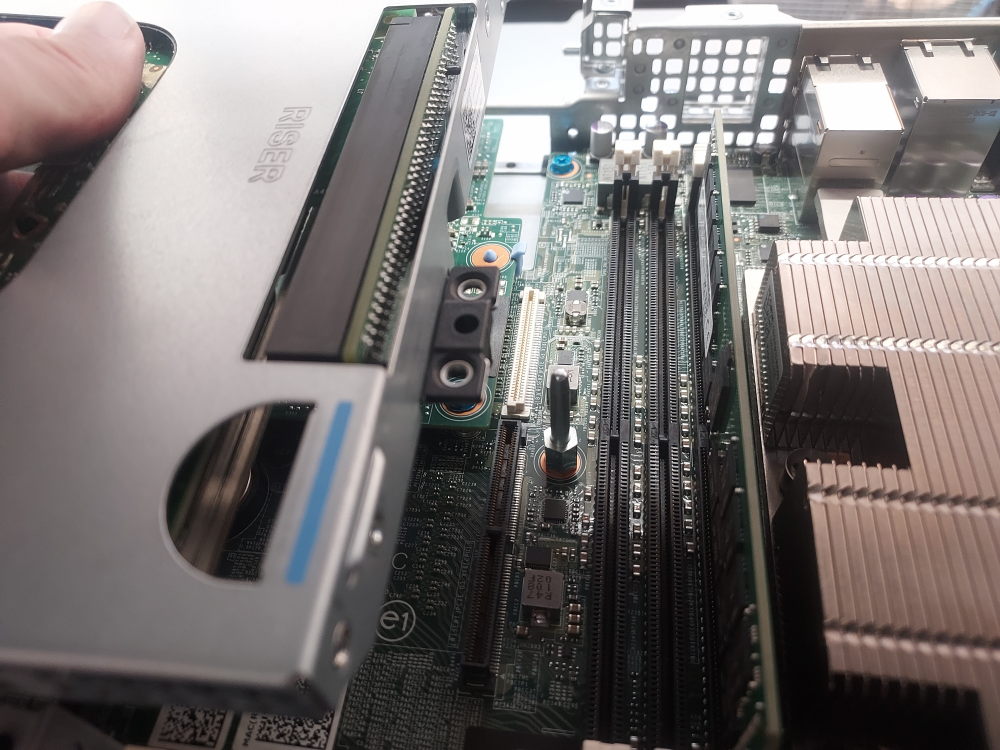
    Snap the riser into place:
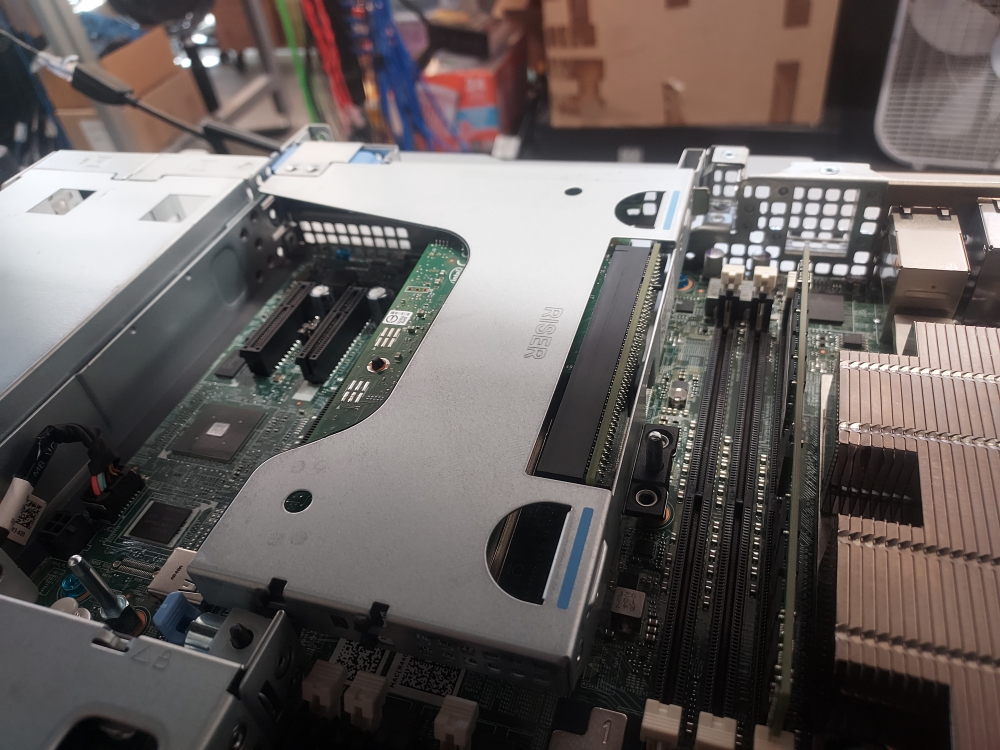
    If you do not have any risers or you do not require any additional PCIe slots, you can install the rear filler in place of the risers. This ensures proper air flow and prevents debris from entering the server where it can restrict airflow or cause damage.
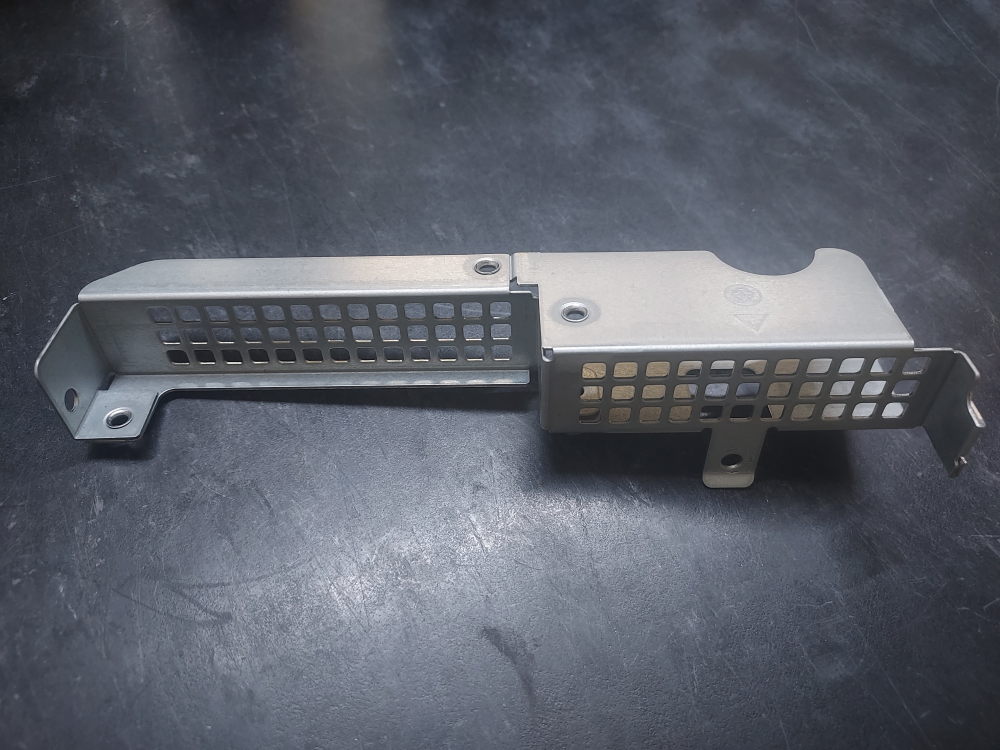
    Rear filler for the R440

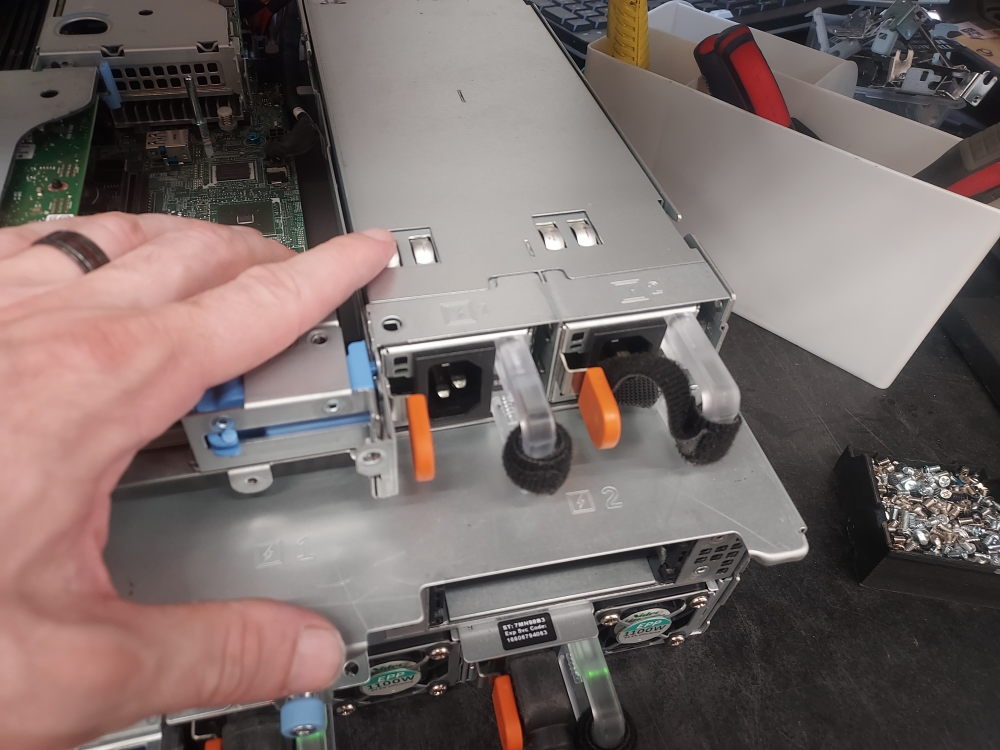
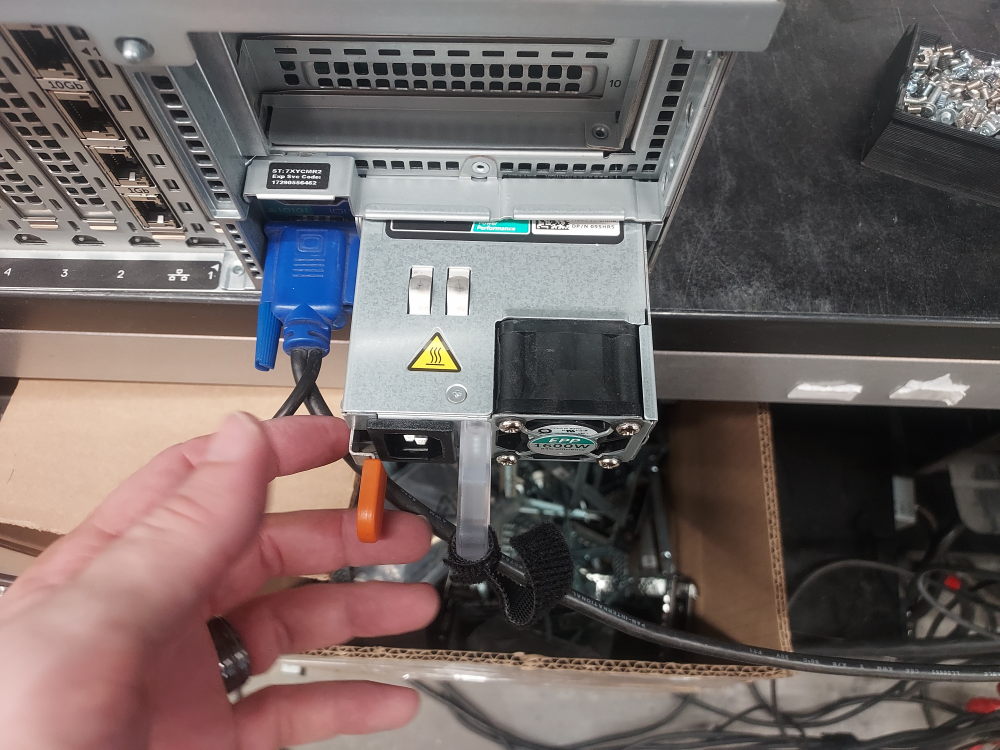
    Installing the power supplies

    The power supplies install in the rear of the server:
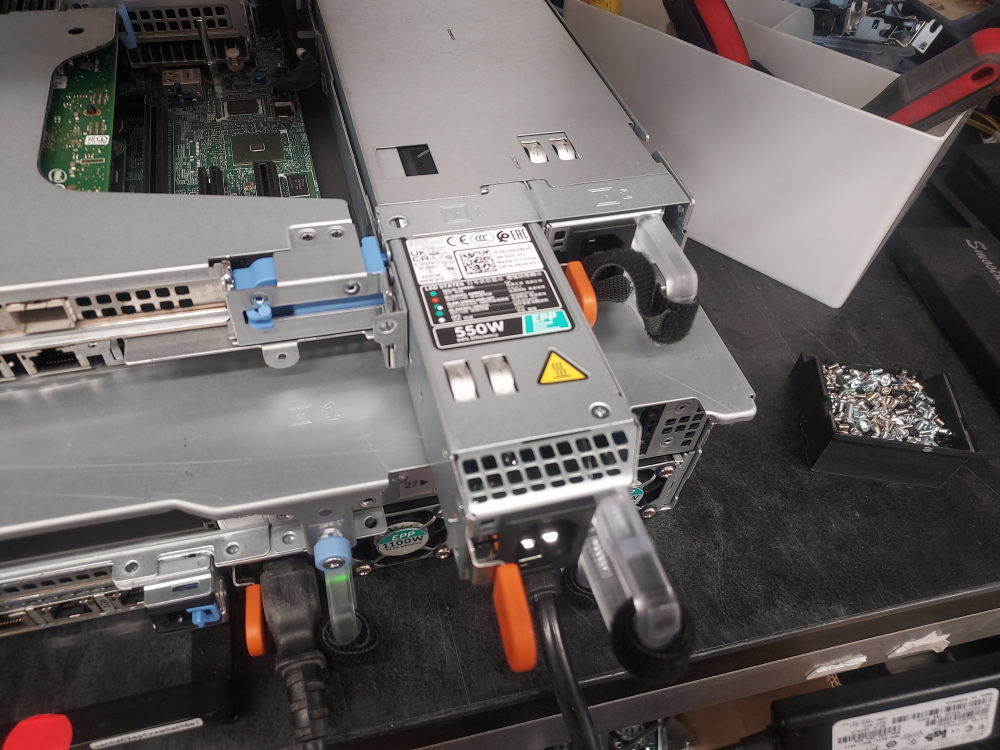
    Complete build photo

    At this point reinstall the air shroud. The build is done and should look similar to the image below:
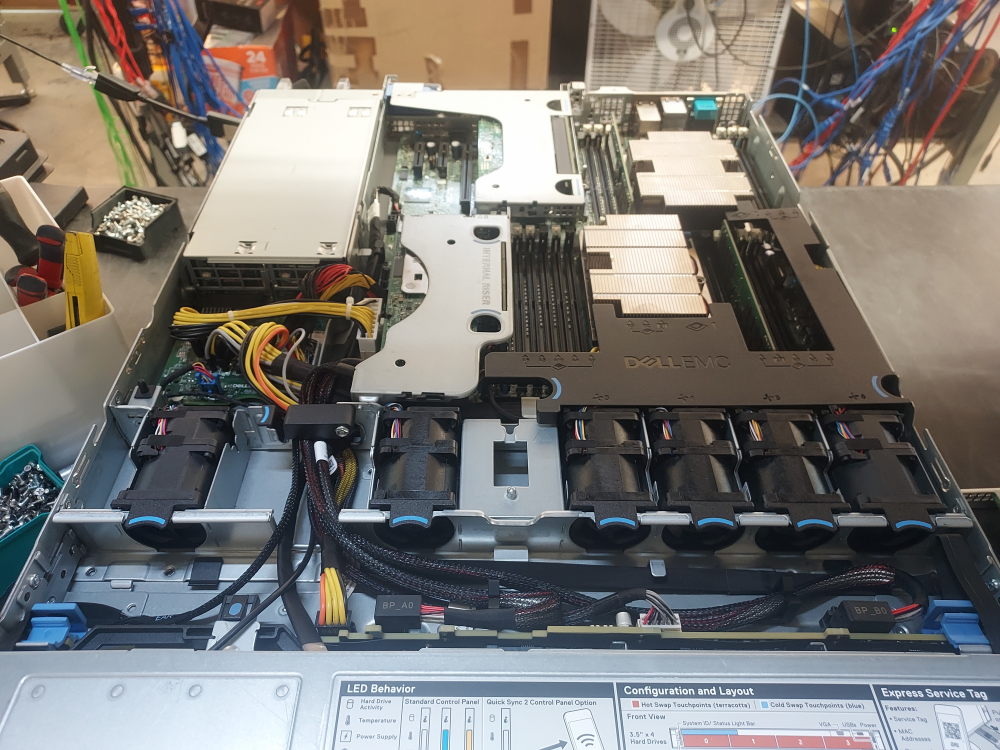
    R440 complete build and configuration