Many DELL RAID controllers like the H730 can operate in RAID or HBA mode. To change from one mode to the other it’s necessary to alter the advanced controller settings.
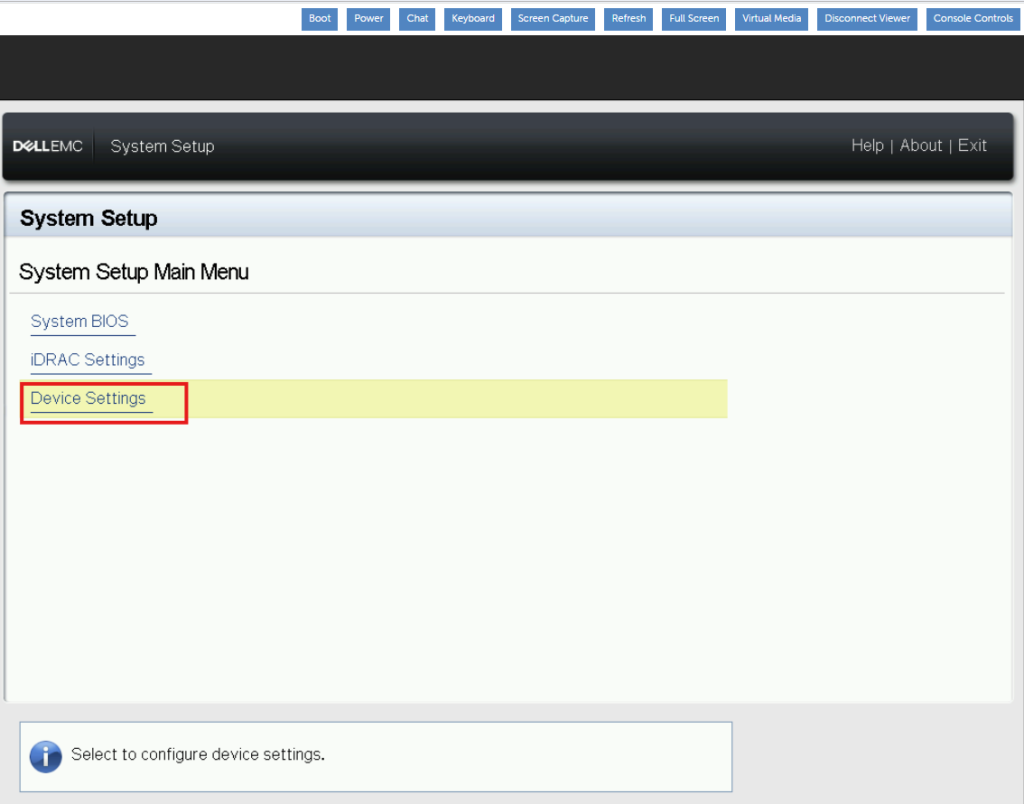
To start, F2 into the BIOS and click device settings:
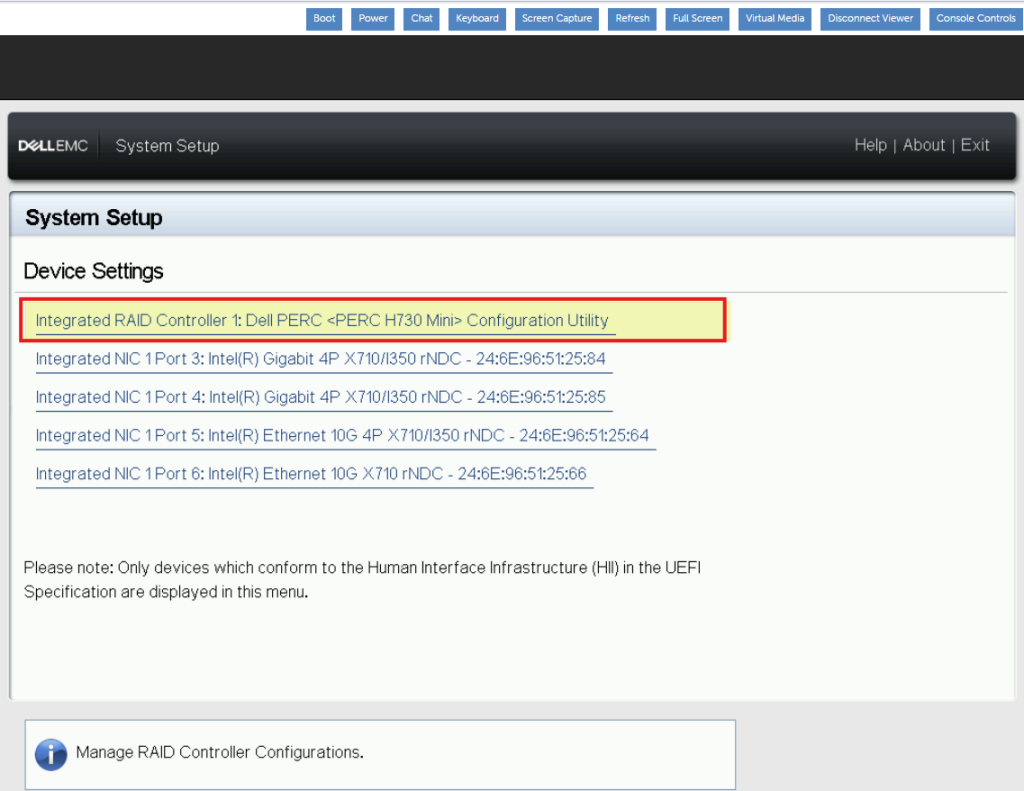
Under devices select your controller. In this case I have an H730 mini installed:
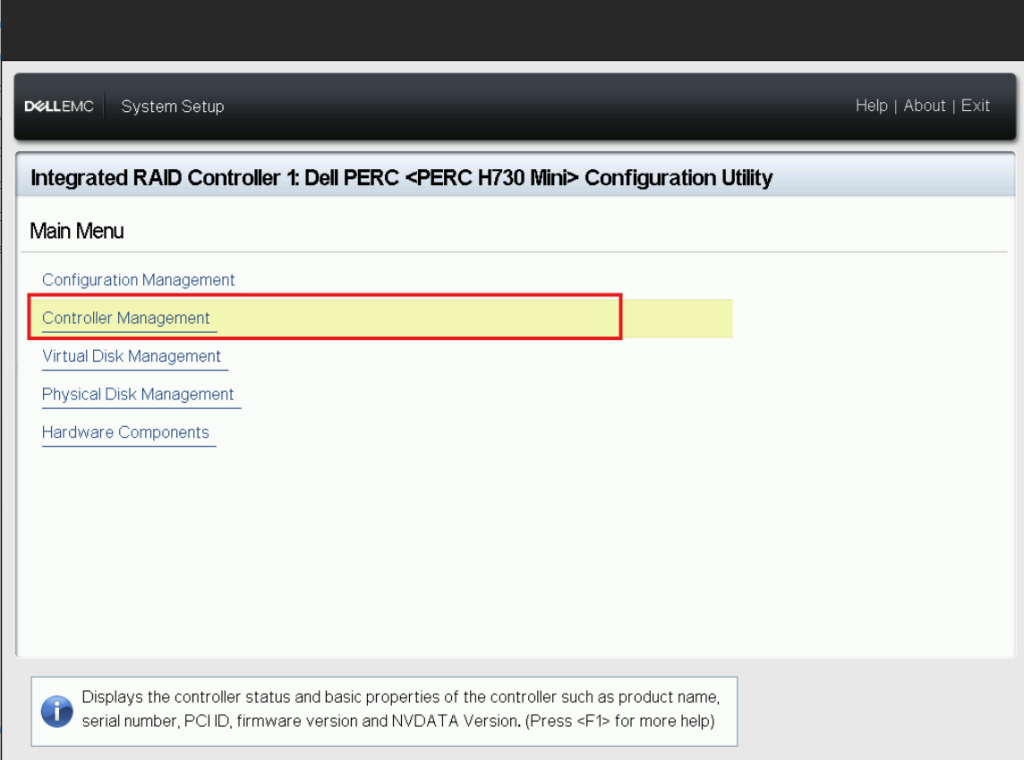
From here select controller management:
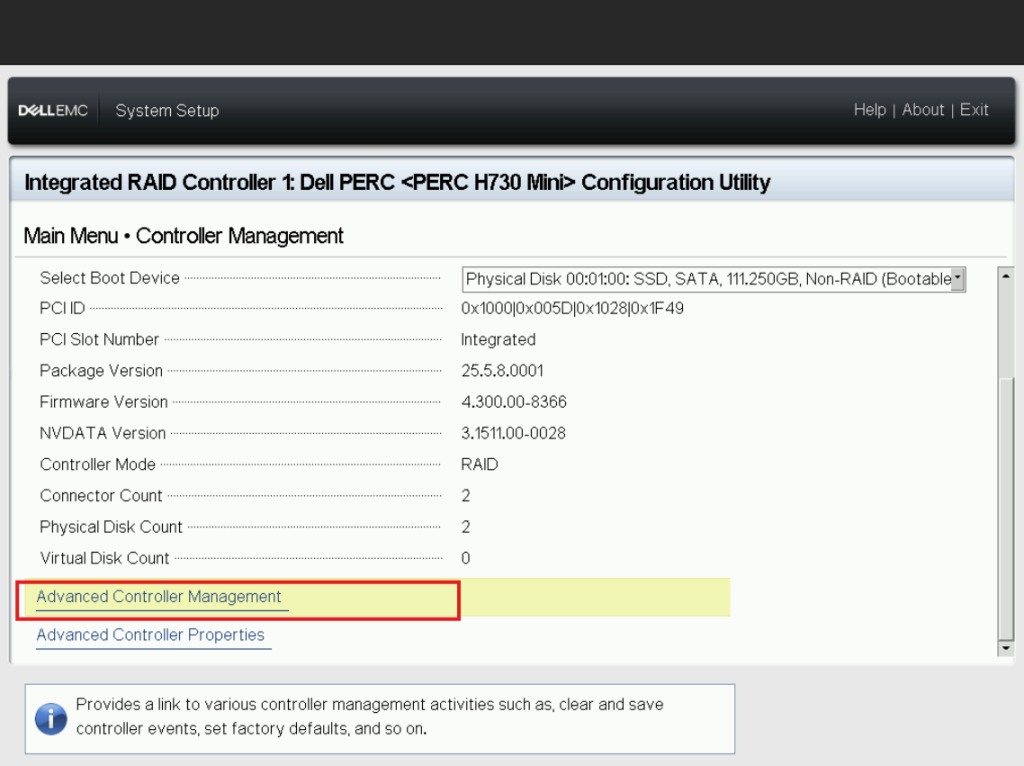
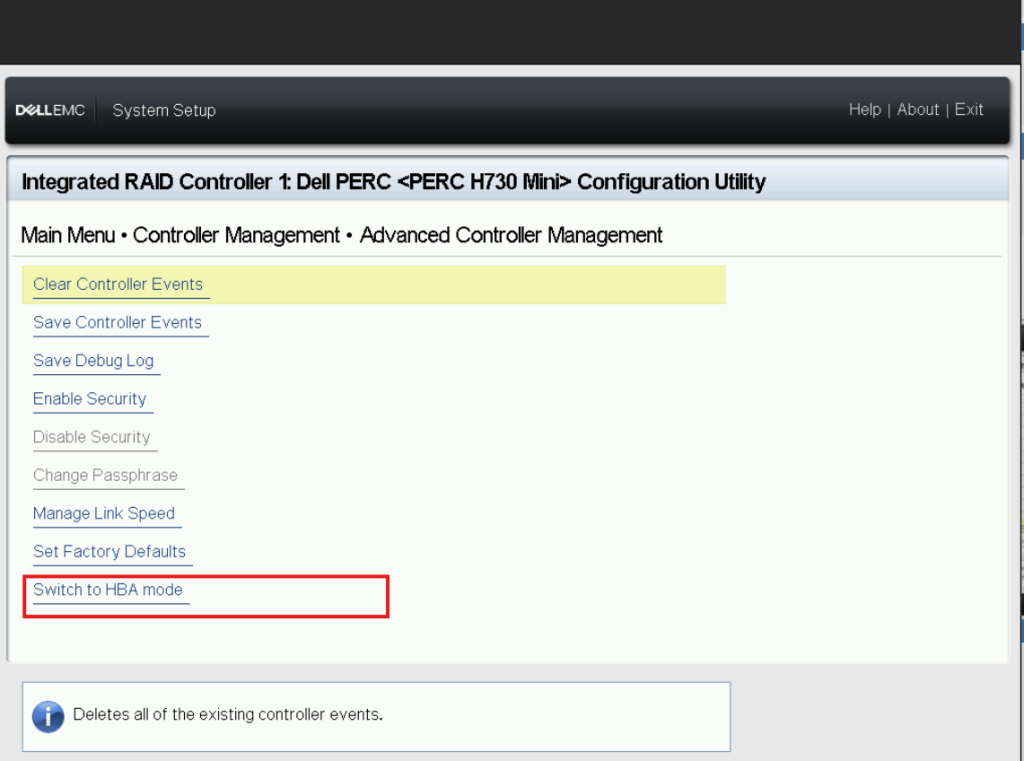
Scroll down until you see Advanced Controller Management and hit Enter:
Lastly select your preferred mode. If you’re in RAID mode you will see the option to switch to HBA mode. If you’re in HBA mode you’ll see the option to switch to RAID mode.,
Leave a Reply