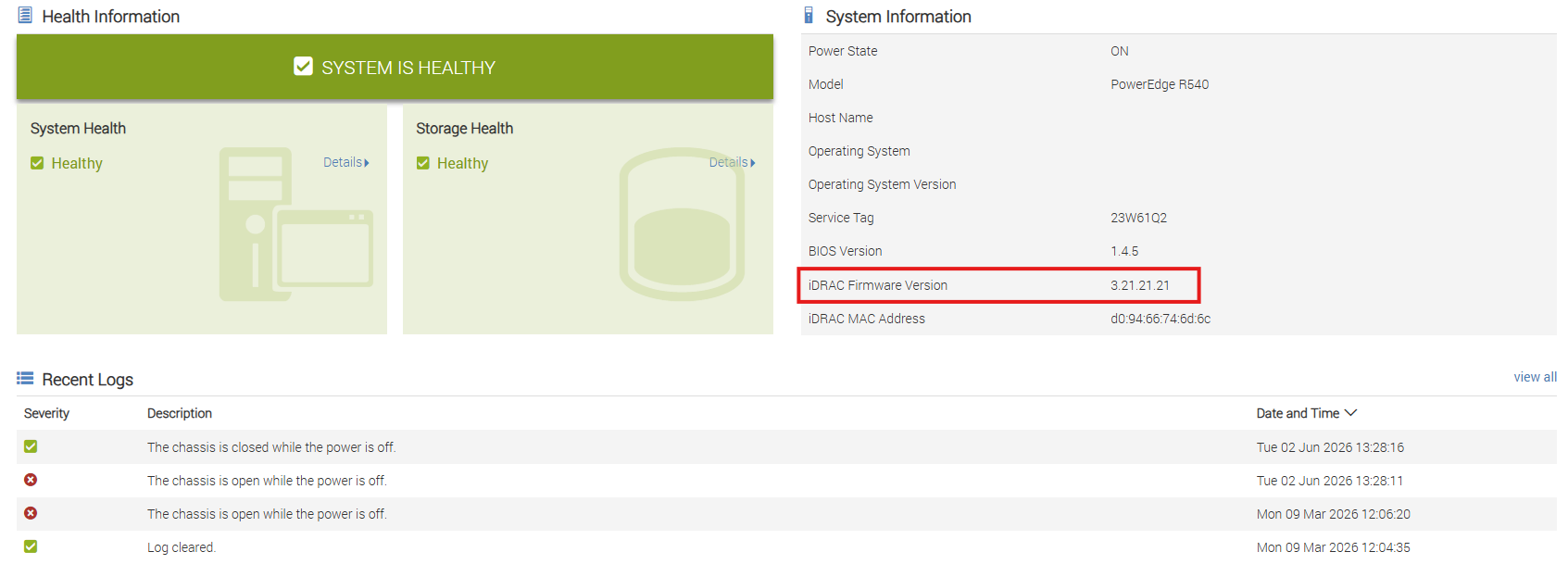
If you’re attempting to use DELL’s online updater to update the iDRAC firmware you might notice it fails. This is especially common with iDRAC firmware at 3.21 and earlier.
The main symptom is of course the failed job in the job queue after using the online or local updater:
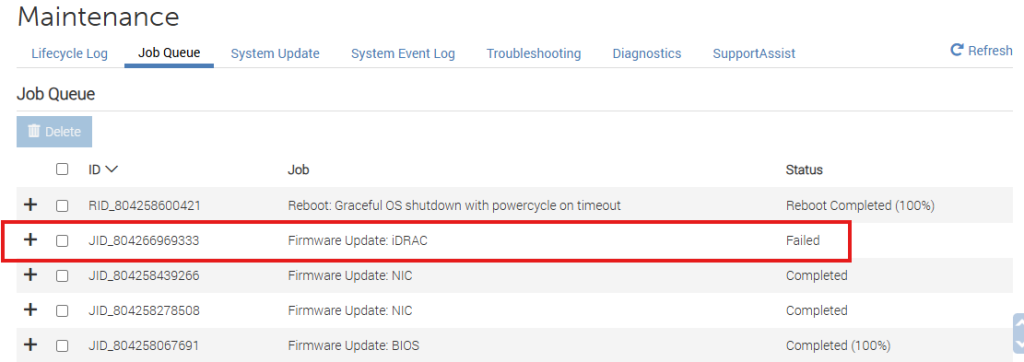
The solution is to perform a manual local update to version 3.30. From 3.30 you can then upgrade to the latest version.
3.30.30.30 is the last “bridge” release in the original iDRAC9 3.x train. Dell changed the firmware architecture and update prerequisites in later major versions, so systems on 3.21.x are too old to jump directly to current releases.
Dell doesn’t always state this as “you must install 3.30 first” in every release note, but in practice and in Dell-supported upgrade paths, the progression is:
3.21.x → 3.30.x → 4.x → 5.x → 6.x → 7.x
Trying to skip the bridge versions can result in failed updates, Lifecycle Controller incompatibilities, or an iDRAC that needs recovery. Community members and Dell admins consistently report having to step through the major-version boundaries rather than jumping from 3.21 directly to 6.x or 7.x.
Why 3.30 specifically?
- It contains major changes to iDRAC and Lifecycle Controller that later releases expect to already be present.
- Dell’s later upgrade chains are built assuming the system has crossed the 3.30 baseline first.
- Dell’s own notes contain special handling and migration behavior that first appears at 3.30, including inventory format changes and other internal data structure updates.
A common successful upgrade path reported for servers starting on 3.21.26.22 is:
- 3.21.26.22
- 3.30.30.30
- 5.10.50.00
- 6.00.02.00
- Current release
with BIOS updates performed along the way as required.
Leave a Reply